iQue
™
3600
GPS Applications
29
Using QueRoutes
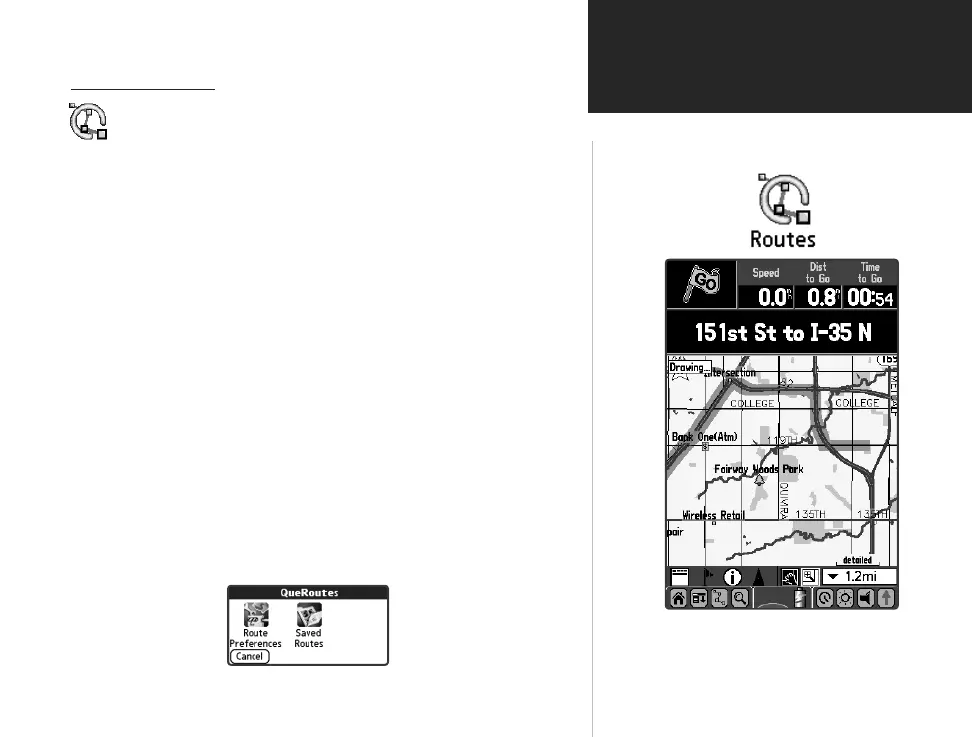
Active Route Displayed on Map Page
Using QueRoutes
QueRoutes is an application that provides you with a graphic route
line, plus graphic and voice turn-by-turn directions to a chosen
destination. You can select a destination from any of the QueFind
application categories, the Address Book, the QueMap application,
or a location attached to an entry in the Date Book application.
QueRoutes functions primarily as a route management tool once
you have selected a destination.
Use the QueRoutes application to:
• Recalculate the route to you current destination.
• Add stops or new waypoints (vias) to customize your route.
• Save specific routes for use at a later date.
• Set the preferences for routing.
• Stop and resume navigation of an active route.
To activate the QueRoutes Application:
1. Tap the Applications Launcher icon to display the
QueRoutes icon... or easier yet, tap the QueRoutes icon at the side
of the Graffi ti
®
2 input area or on the Status Bar.
QueRoutes
Application
QueApplicationsGuideFinal.indd 39 6/23/2003, 3:18:30 PM



 To Next Page