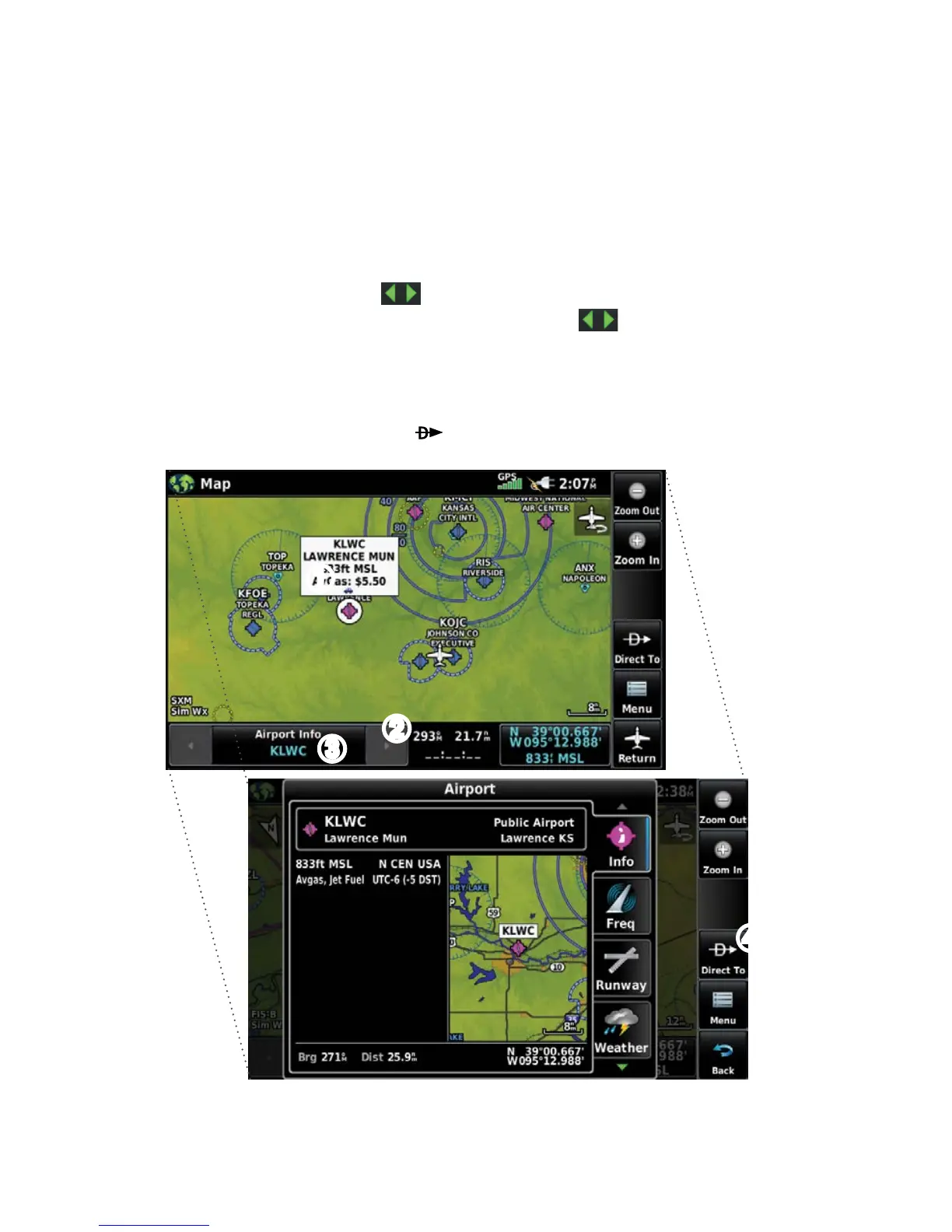
Reviewing information for a map feature:
➊
W
hile viewing a Map Display, touch anywhere on the map to activate the
map pointer. When the Map Pointer is over a map feature, the map feature
is highlighted, an information box appears on the map, and the highlighted
map feature is displayed on the Map Feature Button. If multiple features
are present at the Map Pointer position, green arrows will appear on the
Map Feature Button.
➋
I
f necessary, touch the buttons to cycle through the list of map
features present at that position. Touching the buttons changes the
highlight and description.
➌
T
ouch the Map Feature Button to review information for the Map Feature.
➍
I
f desired touch Direct-to to navigate to the map feature.
➊
➋
➌
➍









 To Next Page