22
Menu Mode
Navigation:
Find Location
To view the selected location on the Map Mode:
1. In the Review Location mode, press the DOWN or UP button to highlight ‘MAP’. Press the
ENTER button. The selected location is displayed on the map. You can use the DOWN/UP
buttons to zoom in and out on the map.
2. With ‘OK’ highlighted, press
ENTER to switch back to the Review Location Mode.
To start a ‘GOTO’:
1. In the Review Location mode, press the DOWN or UP button to highlight ‘GOTO’. Press
ENTER. The ‘GOTO’ is activated with the selected location as the destination.
To stop a ‘GOTO’:
1. Highlight ‘NAVIGATION’ in the Menu Mode and press ENTER.
2. Press the DOWN or UP button to highlight the ‘STOP GOTO’ option and press ENTER.
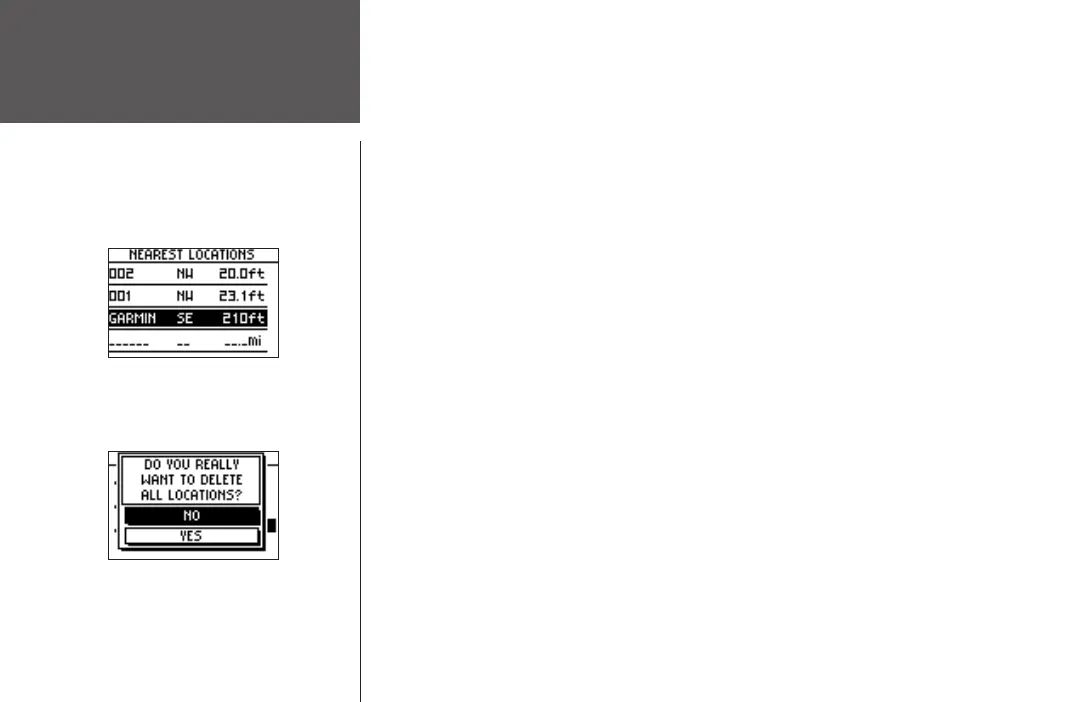
To delete all locations:
1. In the ‘FIND LOCATION’ mode, press the DOWN or UP button to highlight’ DELETE ALL.
Press the ENTER button. A confirmation message box appears asking if you really want
to delete all locations. If you do, press the DOWN
or UP button to highlight ‘YES’. Press
ENTER.
2. If you change your mind and do not want to delete the location, press the DOWN
or UP
button to highlight ‘NO’. Press
ENTER. The confirmation message box disappears and all of
the locations remain in memory.












 To Next Page