26
Menu Mode
Settings:
Set Units
Set Units
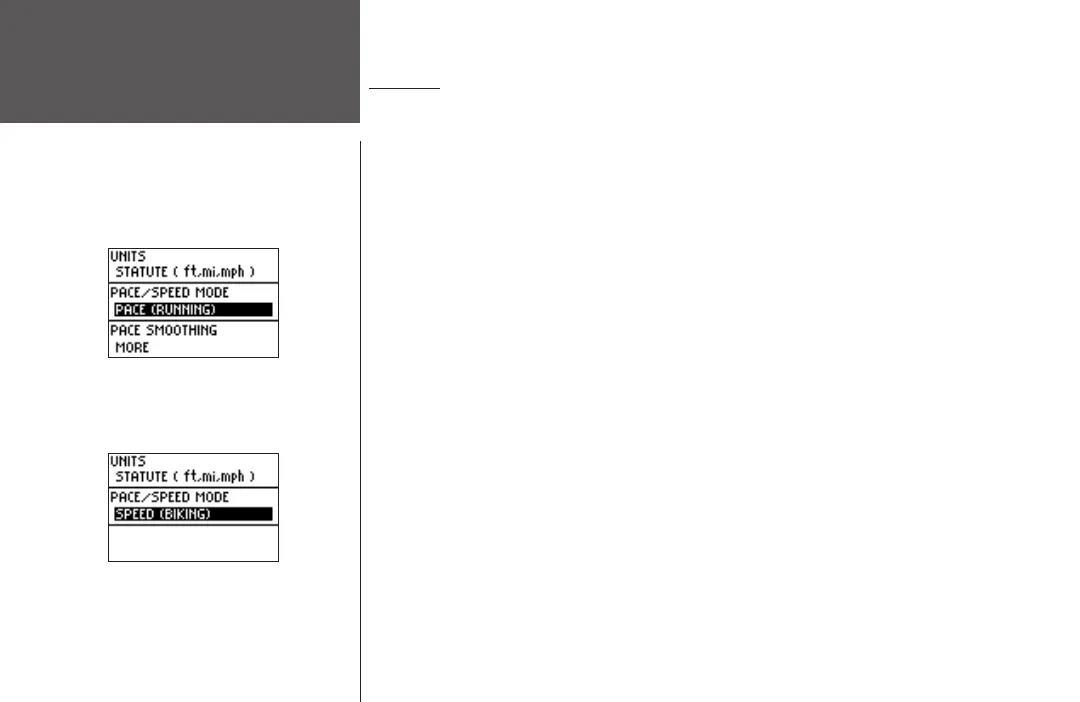
The Forerunner 101 allows you to select statute (feet, miles, and miles per hour) or metric
(meters, kilometers, and kilometers per hour) units of measure for all speed and distance
readouts. It also allows you to choose either your pace (running) or speed (biking) mode. Pace
Smoothing averages your pace over a certain amount of time to avoid errors in GPS position
and speed. You must have the unit in ‘PACE’ mode to use Pace Smoothing.
To change the units of measure:
1. Highlight ‘SETTINGS’ in the Menu Mode and press ENTER.
2. Press the DOWN
or UP button to highlight ‘SET UNITS’. Press ENTER.
3. Press the DOWN or UP button to highlight the ‘UNITS’ field. Press ENTER.
4. Press the DOWN
or UP button, high light ‘STATUTE’ or ‘METRIC’ and press ENTER. Press
the MODE Button to return to the mode of your choice.
To change the pace/speed mode:
1. Highlight ‘SETTINGS’ in the Menu Mode and press ENTER.
2. Press the DOWN
or UP button to highlight ‘SET UNITS’. Press ENTER.
3. Press the DOWN or UP button to highlight the ‘PACE/SPEED MODE’ field. Press ENTER.
4. Press the DOWN
or UP button, highlight ‘PACE (RUNNING)’ or ‘SPEED (BIKING)’ and press
ENTER. Press the MODE Button to return to the mode of your choice.
To adjust Pace Smoothing:
1. Highlight ‘SETTINGS’ in the Menu Mode and press ENTER.
2. Press the DOWN
or UP button to highlight ‘SET UNITS’. Press ENTER. (continued)
You may also hold down the MODE button to
quickly switch between ‘PACE (RUNNING)’ and
‘SPEED (BIKING)’ from any screen. This setting
affects calorie calculations (pg. 6).












 To Next Page