29
Menu Mode
Settings:
Set Display
Set Display
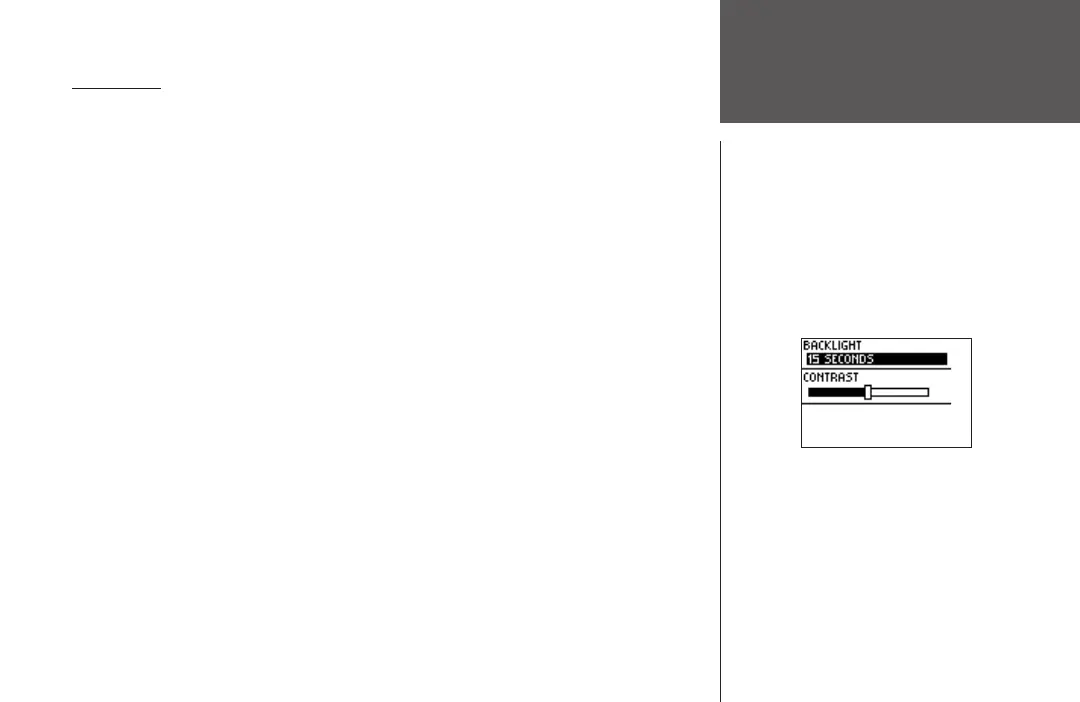
This option allows you to change the backlight setting and the contrast of the screen.
To change the backlight setting:
1. From the Menu Mode press the DOWN or UP button to highlight ‘SETTINGS’. Press
ENTER.
2. Press the DOWN
or UP button to highlight the ‘SET DISPLAY’ field and press ENTER.
3. With ‘BACKLIGHT’ highlighted, press ENTER.
4. Press the DOWN
or UP button to highlight your selection and press ENTER.
5. Press the
MODE button to return to the ‘SETTINGS’ mode.
To adjust the display contrast:
1. From the Menu Mode press the DOWN or UP button to highlight ‘SETTINGS’. Press
ENTER.
2. Press the DOWN or UP button to highlight the ‘SET DISPLAY’ field and press ENTER.
3. Press the DOWN
or UP button to highlight the ‘CONTRAST’ field and press ENTER.
4. Press the DOWN
or UP button to adjust the contrast bar. DOWN moves the bar left and
UP moves the bar right. After adjusting the contrast bar, press ENTER.
5. Press the
MODE button to return to the SETTINGS mode.












 To Next Page