30 Forerunner
®
301 Owner’s Manual
NAVIGATING > NAVIGATING WITH THE MAP
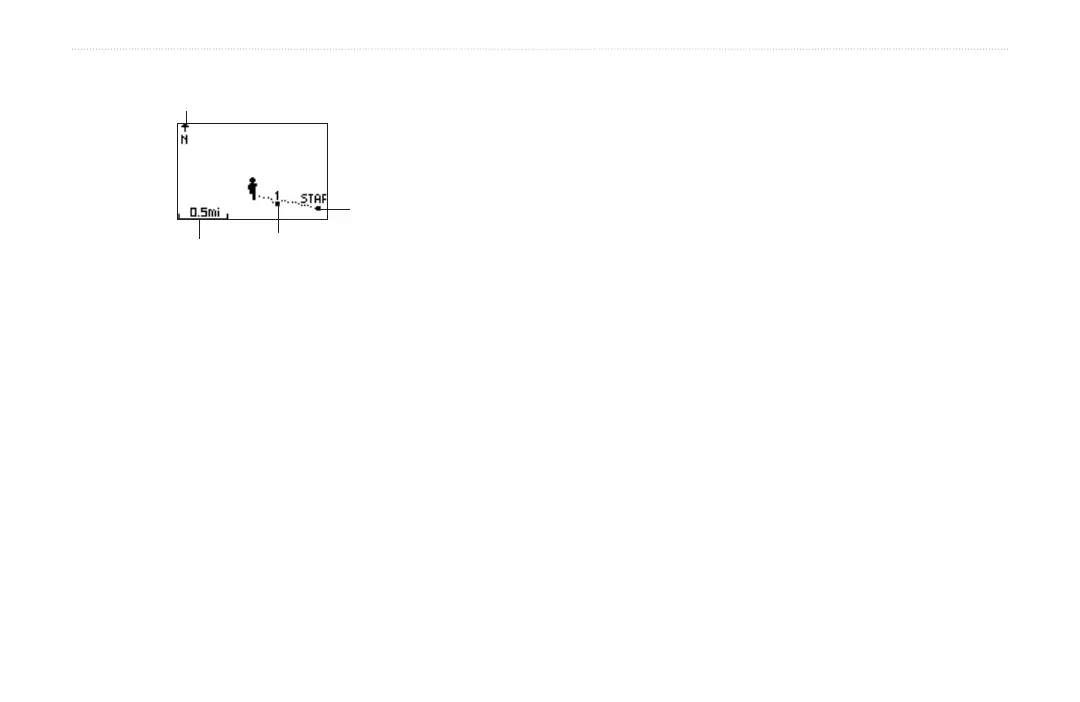
Zoom scale
Lap marker
Starting point
Direction of
travel
To remove Map mode:
1. Press mode to access Menu mode. Then select
Navigation.
2. Highlight Remove Map Mode and press enter.
To change the orientation of the map:
1. Press mode to access Menu mode. Then select
Navigation.
2. Select Orient Map North or Orient Map Ahead.
• Orient Map North means that North always
appears at the top of the map. Your position
on the map is represented by a triangle, which
points toward your current direction. The
direction arrow at the top of the map disappears
when you are in North orientation.
• Orient Map Ahead means the direction you are
traveling always appears at the top of the map
(map rotates as you move). Your position on the
map is represented by a person.


 To Next Page