4 Forerunner
®
301 Owner’s Manual
GETTING STARTED > ACQUIRE SATELLITE SIGNALS
Acquire Satellite Signals
Before you begin using the Forerunner 301, you must
acquire GPS satellite signals. The first time you turn on the
Forerunner, you may need to wait as long as 15 minutes to
acquire signals; after that, the Forerunner should acquire
signals quickly each time you use it. To acquire satellite
signals, go outdoors away from tall buildings and trees,
which may obstruct signal reception, and position the
Forerunner with its face toward the sky.
To acquire satellite signals:
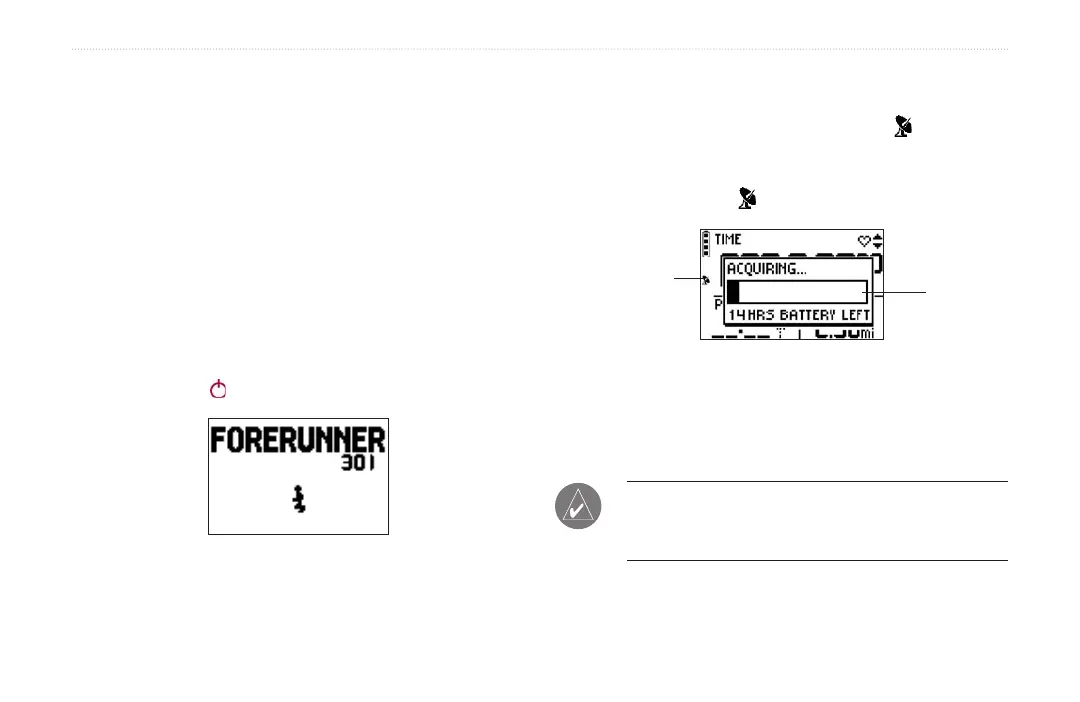
1. Go outdoors to an open area. Then press and hold
the Power button to turn on your Forerunner 301.
The Welcome Page
2. Wait while the Forerunner searches for satellite
signals. As the unit acquires signals, the bar fills
from left to right and the Satellite icon flashes.
When the Forerunner has acquired enough satellite
signals, the bar fills completely and disappears, and
the Satellite icon stops flashing.
bar
Satellite icon
Once you are outdoors and have acquired satellite
signals, you are ready to begin your workout. Refer to the
“Workouts” section, beginning on page 9, to take advantage
of the Forerunner’s training features.
NOTE: You can turn off the GPS receiver and use the
Forerunner indoors. See “Changing General Settings”
in the Customizing section.


 To Next Page