Forerunner
®
301 Owner’s Manual 41
CUSTOMIZING > SETTING UP CUSTOM PAGES
Setting Up Custom Pages
Each sport in your Forerunner 301 has its own Custom
page. You can display several types of data on this page.
When you are training, access the page from the Timer
mode by pressing the or arrows. To scroll through
the Lap, Heart Rate, Custom, and Timer data pages
automatically, see “Changing General Settings.”
To set up a Custom page for a sport:
1. Press mode to access Menu mode. Then highlight
Settings and press enter.
2. Highlight the sport you want to set up the Custom
page for and press enter.
3. Highlight Set Custom Page and press enter.
4. Press enter to select the Custom 1 field. Select the
type of data you want to display in this field.
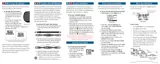
Setting up a custom page.
5. Repeat step 4 for the Custom 2 and Custom 3 fields.
NOTE: The data fields on each custom page change
based on which sport mode you are currently in. For
example, Pace appears as a data field option in Run-
ning mode but not in Biking mode. Available fields also
change based on what units you set for speed (pace or
speed) and for heart rate (beats per minute or % max).


 To Next Page