32 Forerunner
®
301 Owner’s Manual
NAVIGATING > MARKING AND FINDING LOCATIONS
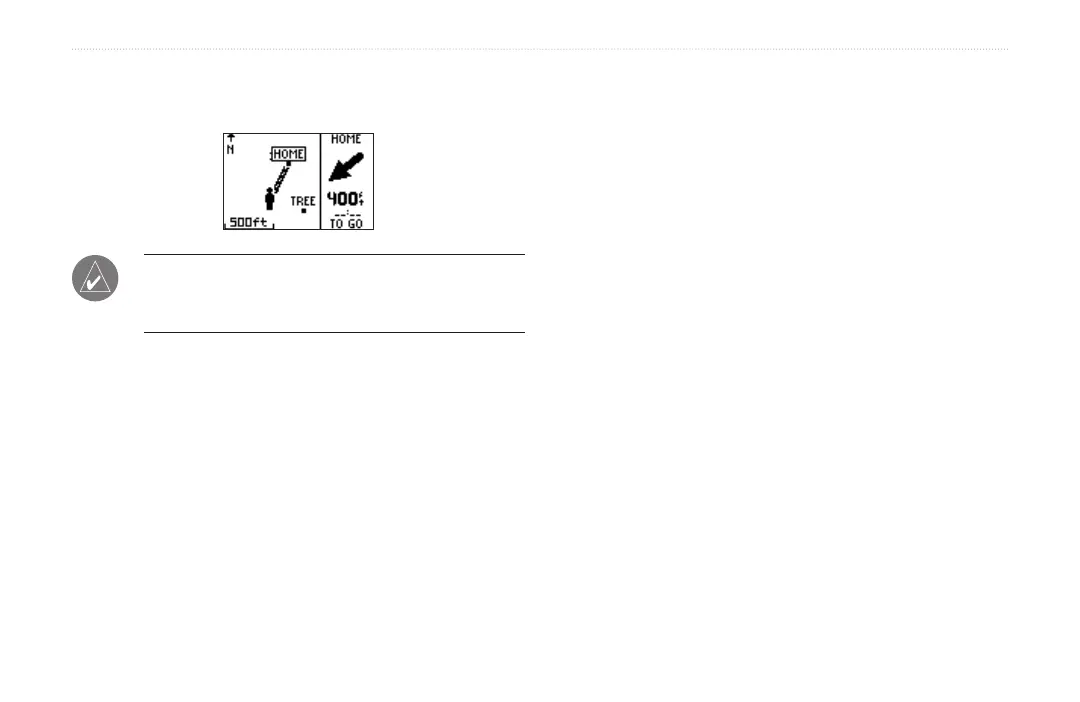
6. Highlight GoTo and press enter. A straight line
directs you to the Location.
NOTE: You can also navigate to a starting point by fol-
lowing your path (not a straight line). See “Navigating
Back to Start.”
To stop navigating to a Location:
1. Press mode to access Menu mode. Then select
Navigation.
2. Highlight Stop GoTo and press enter.
To edit a Location:
1. Press mode to access Menu mode. Then select
Navigation.
2. Highlight Find Location and press enter.
3. Find the Location you want to change (see “To find
and go to a Location”). Highlight the Location and
press enter.
4. Select the name, symbol, elevation, or latitude and
longitude and make any necessary changes.
To delete a Location:
1. Press mode to access Menu mode. Then select
Navigation.
2. Highlight Find Location and press enter.
3. Find the Location you want to delete (see “To find
and go to a Location”). Highlight the Location and
press enter.
4. Highlight Delete and press enter. Then highlight Yes
and press enter.


 To Next Page