Viewing the Body Battery Widget
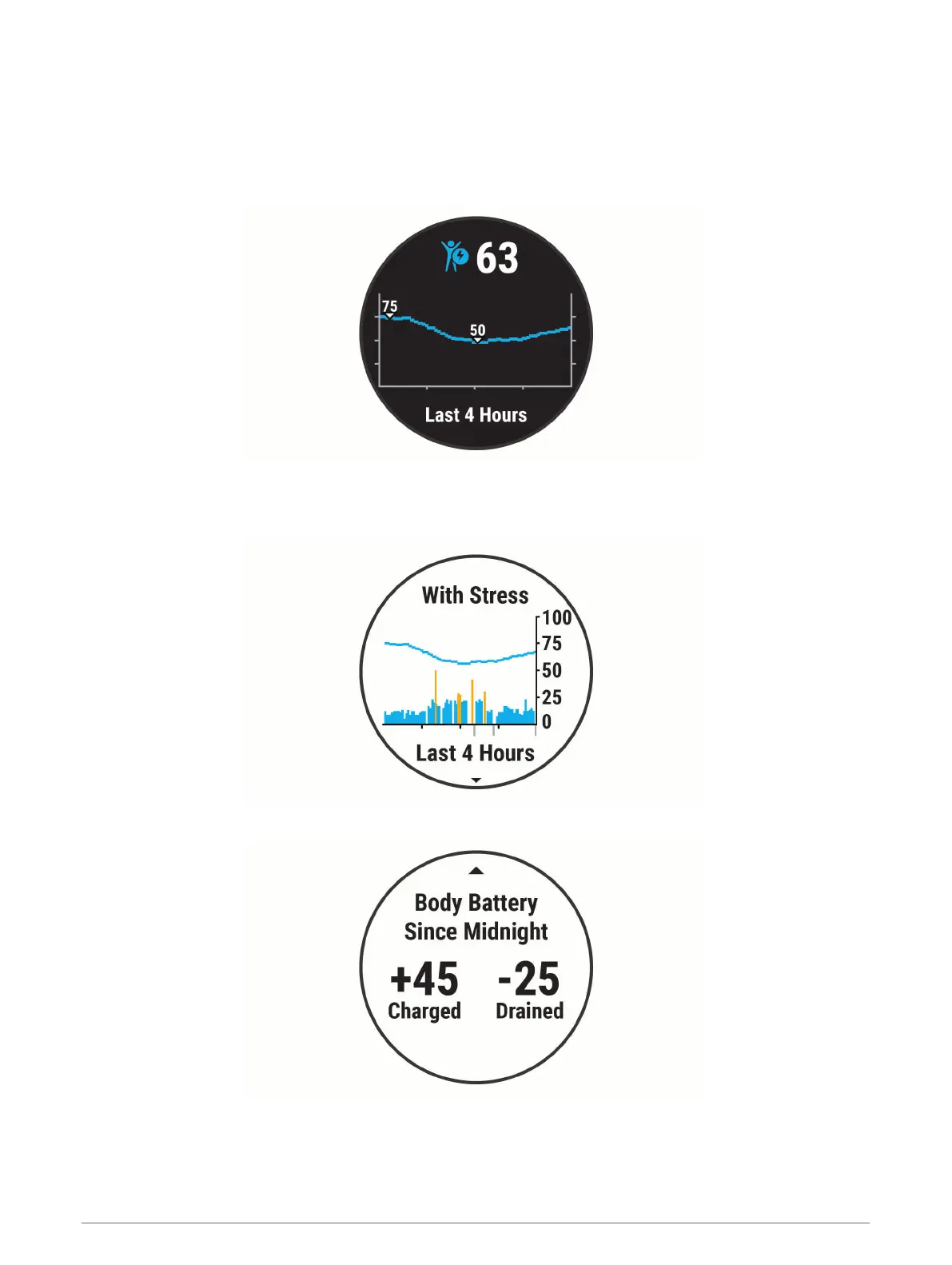
The Body Battery widget displays your current Body Battery level and a graph of your Body Battery level for the
last several hours.
1 Select UP or DOWN to view the Body Battery widget.
NOTE: You may need to add the widget to your widget loop (Customizing the Widget Loop, page 31).
2 Select START to view a combined graph of your Body Battery and stress level.
Blue bars indicate periods of rest. Orange bars indicate periods of stress. Gray bars indicate times that you
were too active to determine your stress level.
3 Select DOWN to see your Body Battery data since midnight.
24 Heart Rate Features















 To Next Page