7
Overview
Using the Main Pages
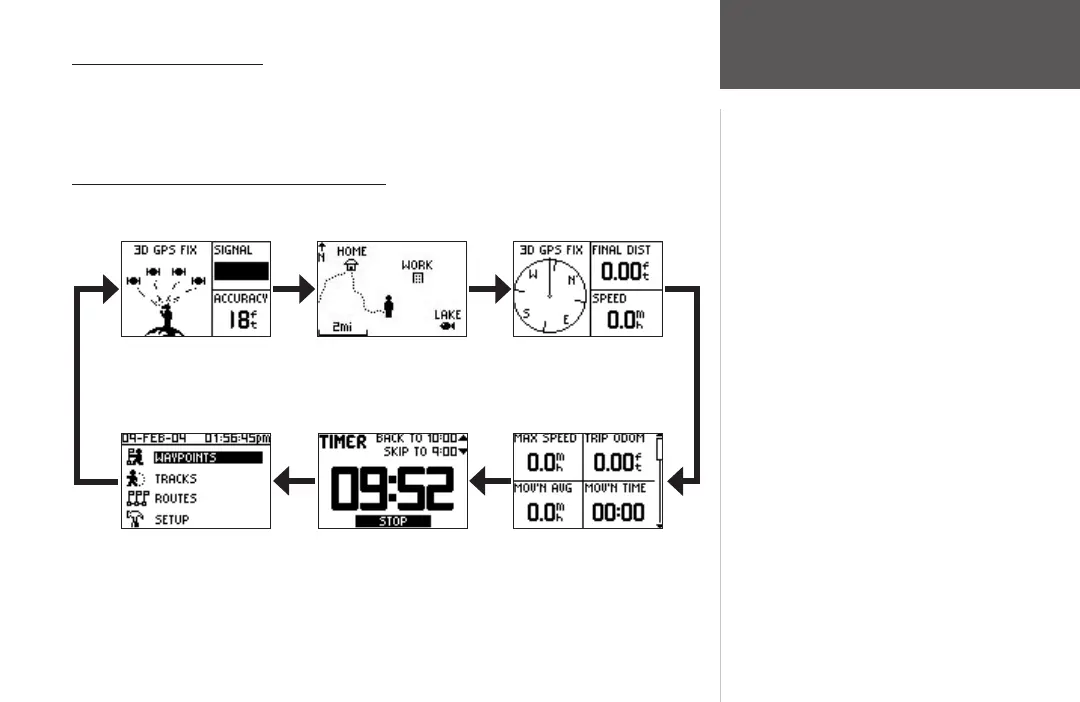
All of the information needed to operate the Foretrex 201 is found on six main ‘pages’
(or display screens). These pages are the Satellite, Map, Navigation, Trip Computer, Timer
(if enabled), and Main Menu.
Switching Between the Main Pages
Simply press the PAGE button to switch between pages as shown below.
Satellite Page Map Page
Trip Computer PageTimer Page (if enabled)Main Menu Page
Navigation Page
Getting Started













 To Next Page