18
Main Pages
Main Menu Page Basics
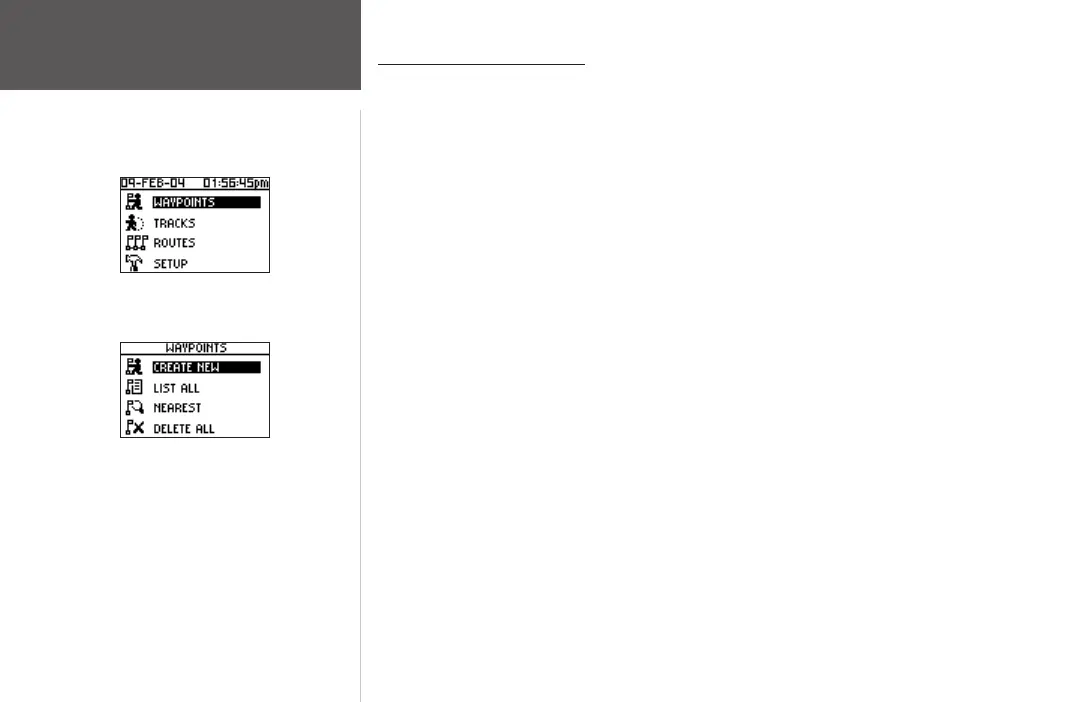
The Main Menu Page gives you access to the Foretrex 201 unit’s waypoints, tracks,
routes, and setup screens. When the Main Menu Page is displayed, use the UP or DOWN
buttons to highlight the desired sub-page (Waypoints, Tracks, Routes, or Setup), and press
ENTER to open that page.
The Main Menu Page also displays the current date and time along the top of the screen.
To access a Menu Page:
1. From the Main Menu page, use the UP and DOWN buttons to highlight the desired
Menu Page, such as ‘WAYPOINTS’.
2. Press the
ENTER button to access that Menu Page.
The following Sub Pages are available: Waypoints, Tracks, Routes, and Setup. The Menu
Pages and their options are described in the following pages.
Main Menu Page
Main Menu Page
Waypoints Menu













 To Next Page