33
Main Pages
Track Page Options
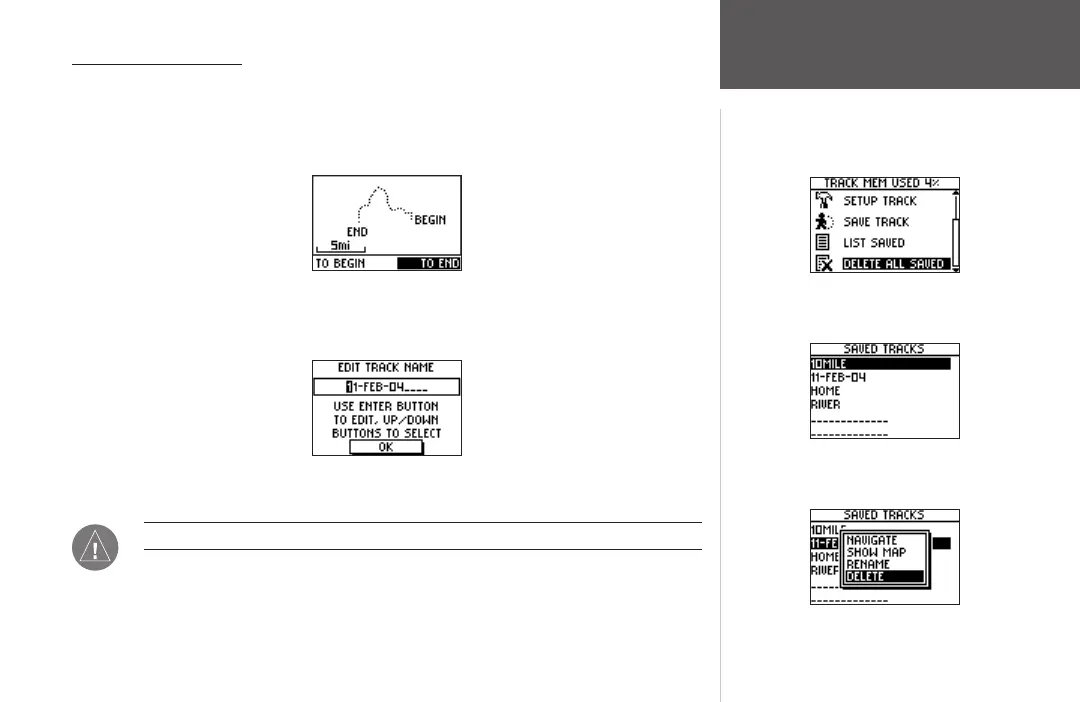
From the Saved Tracks List, highlight a track and press ENTER to display the options for
that track.
Navigate: Press ENTER to navigate this track. Select to begin navigation from the begin-
ning point or the end point.
Navigate Tracks Page
Show Map: Press ENTER to display the track on the Map Page.
Rename: Press ENTER to display the Edit Track Name Page and rename the track.
Edit Track Name Page
Delete: Press ENTER to delete the track.
NOTE: Once you have deleted a track, it cannot be recovered.
Tracks Menu Page
Tracks Menu Page
Saved Tracks List
Saved Tracks Options













 To Next Page