GNS 430 Quick Reference
NEARBY AIRPORTS
16
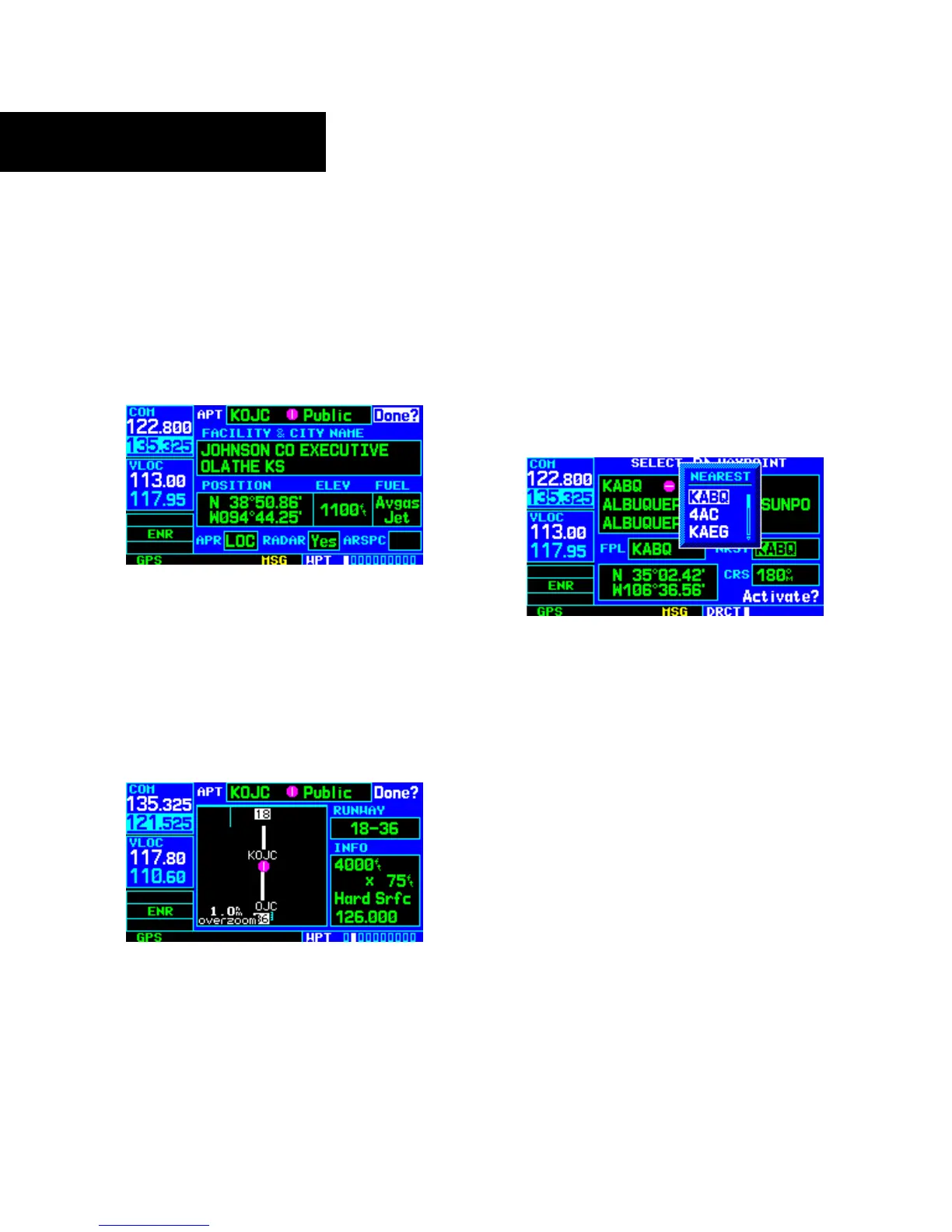
TO VIEW ADDITIONAL INFORMATION FOR A
NEARBY AIRPORT
1) Highlight the identifier of the desired airport by
scrolling through the list, as described in the
preceding procedure.
2) Press the ENT Key to display the Airport
Location Page for the selected airport.
3) To view additional WPT pages for the selected
airport (including the airport runway and
airport frequency pages), press the small right
knob to remove the flashing cursor. Turn the
small right knob to display the additional
WPT pages. When finished, press the small
right knob to return the flashing cursor to the
screen.
4) To return to the Nearest Airport Page, verify that
‘Done?’ is highlighted by the flashing cursor
and press the ENT (or CLR) Key.
TO SELECT A NEARBY AIRPORT AS A
DIRECT-TO DESTINATION
1) Press the Direct-to Key. The Select Direct-to
Waypoint Page appears, with the waypoint
identifier field highlighted.
2) Turn the large right knob to highlight the
nearest airport (NRST) field.
3) Turn the small right knob to display a window
showing up to nine nearby airports.
4) Continue turning the small right knob to
scroll through the list and highlight the desired
airport.
5) Press the ENT Key to confirm the selected
airport. Press the ENT Key again (with
‘Activate?’ highlighted) to activate the direct-to
function.



 To Next Page