Need help?
Do you have a question about the Garmin GPSMAP 12 3 Series and is the answer not in the manual?
Visual overview of the chartplotter's physical components, buttons, and ports.
Information on using microSD cards for maps, data storage, and software updates.
Steps to ensure the device acquires satellite signals for accurate positioning.
How to choose the preferred GPS data source when multiple are available.
Explains the home screen layout and access to chartplotter features and connected accessories.
How to add frequently used features to the Pinned category for quick access.
Details the functions and display options of the screen's bottom menu bar.
How to set the screen brightness for optimal visibility in different lighting conditions.
Guides on personalizing startup screens and creating custom combination pages.
Using voice commands to control chartplotter functions with a compatible headset.
Pairing and using the GRID remote input device for chartplotter control.
Connecting to the ActiveCaptain app for device management, chart updates, and notifications.
Explains the differences between Navigation and Fishing charts and their uses.
Steps for setting a destination and following a course on the chart.
Information on enhanced chart features like Mariner's Eye 3D and Fish Eye 3D.
How AIS works for identifying and tracking other vessels.
Customizing map appearance, orientation, and detail levels for better navigation.
Recording and saving depth contour data to create custom maps.
Accessing and sharing custom maps with other users via the online community.
How to search for and select destinations by name or on the chart.
Creating, editing, and managing recorded locations (waypoints) on the device.
Creating, saving, editing, and navigating custom routes between multiple points.
Using chart data to automatically plot a safe and efficient path to a destination.
Utilizing features for sailboat racing, including start line guidance.
Configuring laylines based on wind and vessel data for racing assistance.
Compensating depth readings based on transducer and keel location.
Instructions for disabling active sonar or all sonar transmissions.
Understanding the full-screen view of sonar readings from a transducer.
Detailed picture of the fishing environment using high-frequency sonar.
Viewing sonar data to the sides of the boat to find structures and fish.
Configuring transducer settings, scroll speed, noise rejection, and appearance.
Setting up alarms for shallow water, deep water, fish detection, and water temperature.
Guidance on understanding and interpreting radar displays for effective use.
Displaying radar information on top of navigation or fishing charts.
Mini-Automatic Radar Plotting Aid for target tracking and collision avoidance.
Tracking vessel movement on the radar display using faint trails.
Adjusting sea clutter, rain clutter, and scan averaging to improve radar clarity.
Details the initial setup and configuration requirements for the autopilot system.
Steps to engage the autopilot and steer the boat to maintain heading.
Using preset patterns like U-Turn, Circles, and Zigzag for maneuvering.
Pairing and controlling the autopilot with a Reactor remote control.
Instructions for wirelessly connecting a compatible Force trolling motor to the chartplotter.
Configuring motor calibration, anchor gain, navigation gain, and heading hold.
Features enabled when connecting a chartplotter to a VHF radio via NMEA.
Procedures for navigating to a vessel reporting a distress call using DSC.
Tracking vessels that send position reports via VHF radio.
How to view engine and environmental data displayed as gauges on the chartplotter.
Viewing specific engine data when connected to a Yamaha system.
Viewing specific engine data when connected to a Mercury system.
Configuring an alarm for low onboard fuel levels.
Steps to connect an inReach device to the chartplotter for message management.
How pop-up notifications appear for incoming inReach messages.
Guides on creating and customizing digital switching pages for vessel controls.
Information on configuring the Garmin Boat Switch device for controlling vessel systems.
Details how to control the Power-Pole anchor system via the chartplotter.
Activating and configuring the Mercury Helm feature for engine control.
Setting and adjusting trolling speed using the Mercury Troll overlay.
Accessing and controlling the Dometic Optimus system features.
Provides tide height and high/low tide times for tide stations.
Displays current speed and level information for selected stations.
Accessing sunrise, sunset, moon phase, and sky view information.
How to access and review system alarms and messages prioritized by severity.
Options for organizing and filtering the list of displayed messages.
Instructions for connecting a media device and opening the media player interface.
How to choose the audio device and source for music playback.
Controlling volume, audio levels, and zones for the media player.
Explains how weather data is broadcast at different intervals for various features.
Accessing city and marine forecasts, warnings, and weather fronts.
Displaying current water temperature and surface pressure data.
Understanding forecast visibility and viewing visibility forecasts for different time periods.
Guides on selecting the source for video feeds on the chartplotter.
Options for adjusting camera aspect ratio, video mode, brightness, and color.
Connecting and controlling VIRB action cameras for video recording and playback.
How to switch which camera feed is displayed on the Surround View screen.
Switching to a full-screen view for individual camera feeds in the system.
Using chartplotter controls to pan, tilt, and zoom surround view cameras.
Covers general system settings like display, GPS, power, and simulator options.
Adjusting units, language, navigation preferences, filters, and keyboard layout.
Managing device connections, NMEA 0183/2000 settings, and network configurations.
Configuring vessel-specific parameters like transducers, fuel, and vessel type.
Managing how other vessels are displayed and setting up AIS/DSC features.
Procedures for resetting device settings to factory defaults.
How to select file types for importing/exporting waypoints and routes.
Transferring user data (waypoints, routes, etc.) from a memory card to the chartplotter.
Using Garmin Express and a memory card to update the device's built-in maps.
Steps to back up device data to a computer via a memory card.
Overview of the ActiveCaptain and Garmin Express apps for managing devices.
Step-by-step guide for registering the device using the Garmin Express application.
How to update device software using ActiveCaptain or Garmin Express.
Common issues and solutions, including GPS acquisition and power problems.
Lists the physical and technical specifications for the GPSMAP 7x3 model.
Lists the physical and technical specifications for the GPSMAP 9x3 model.
Lists the physical and technical specifications for the GPSMAP 12x3 model.
Details the specifications for various sonar frequencies and transmit power.
 General
| Brand | Garmin |
|---|---|
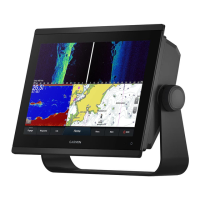
| Model | GPSMAP 12 3 Series |
| Category | Control Panel |
| Language | English |

 To Next Page