Reference
54
To manually enter a frequency and bit rate:
1. With the unit set to ‘Garmin DGPS’ or ‘RTCM In/NMEA Out’, use the ARROW KEYPAD to highlight
the “Beacon” fi eld and press ENTER.
2. Highlight ‘User’ and press ENTER.
3. Highlight the ‘Frequency’ or ‘Bit Rate’ fi eld, press ENTER, then enter a frequency or bit rate and press
ENTER when done.
The “Status” fi eld will show one of the following:
• Tuning— unit is attempting to tune to the specifi ed frequency and bit rate.
• Scanning— unit is automatically scanning through the frequencies and bit rates.
• Receiving— unit is receiving DGPS signal and ready for operation.
• Check Wiring— unit is not making connection with DGPS receiver.
When the unit is receiving a DGPS signal, the “SNR” (Signal to Noise Ratio) and ‘Distance’ fi elds
will show data. The SNR range is 0dB to 30dB, with 30 being the best. The Distance may or may not
show data, depending upon the signal being broadcast from the DGPS site.
The DGPS beacon transmitters are operated by the U.S. Coast Guard (or similar government agency
in other countries), which is responsible for their accuracy and maintenance. For DGPS transmitter
problems or to fi nd the most updated list of frequencies and coverage areas, contact your local USCG,
or see their web site at http://www.navcen.uscg.mil/.
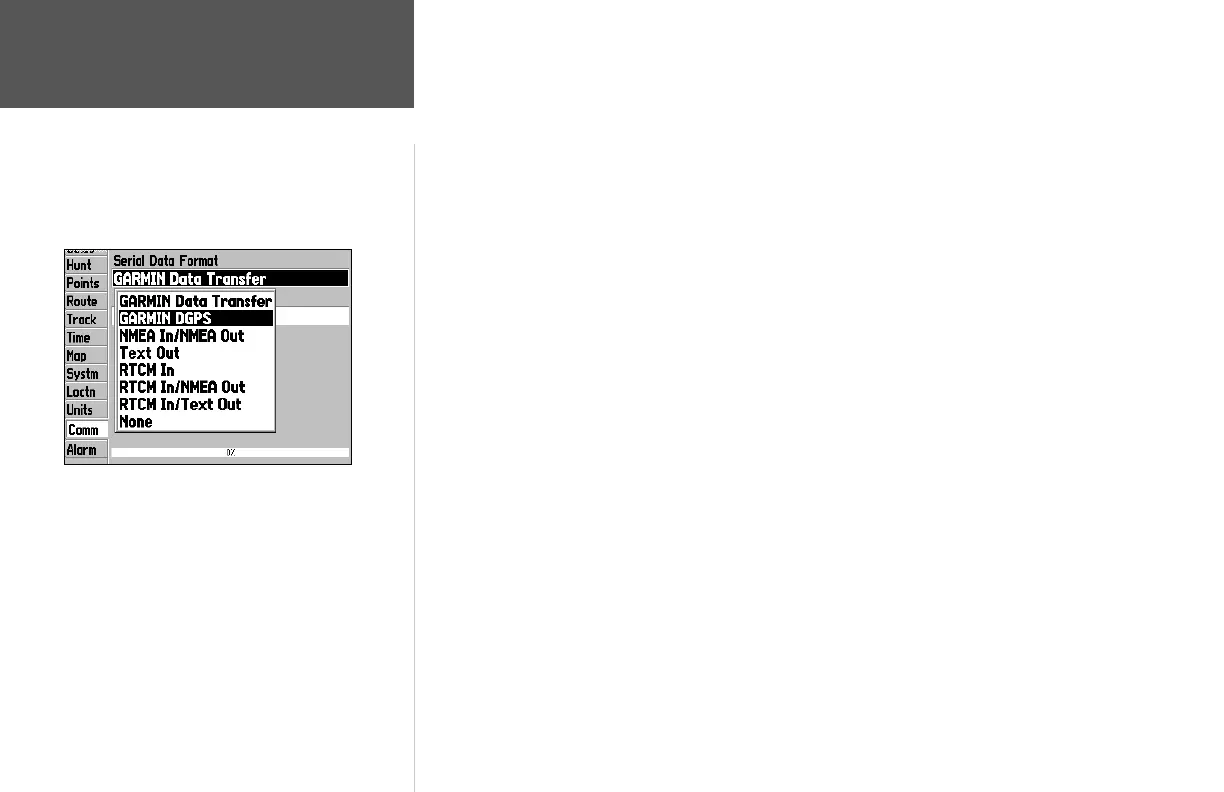
Main Menu: Comm Tab
If you select ‘Garmin DGPS’ or ‘RTCM In/NMEA Out,’ additional
data fi elds are provided allowing you to control the frequency and
bit rate that the DGPS receiver uses.
190-00185-10_0A.indd 54 6/18/2002, 10:01:05 AM














 To Next Page