Adding a Waypoint to a Route
Append to Route adds the selected waypoint to the end of a route.
This option is displayed when you are not navigating. When you
are navigating to a destination, Add to Current Route is displayed.
The selected waypoint is added to the current route before the route
destination.
To
add a waypoint to the end of the route:
1. Open the Waypoint page and press MENU to open the
options menu.
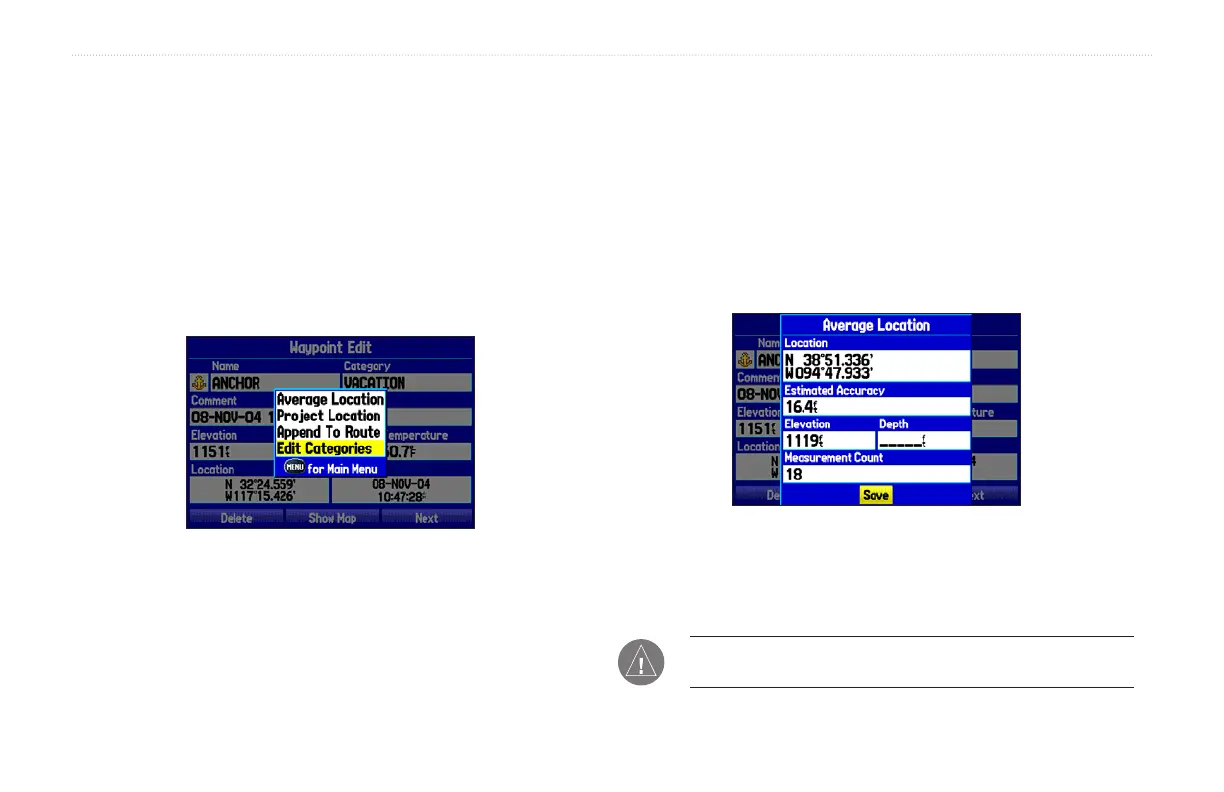
Waypoint Options Menu
2. Select Append To Route from the options menu. The Select
Route window appears.
3. Highlight the desired route or select New Route and press
ENTER.
4. With OK highlighted, press ENTER to save the waypoint.
Averaging the Waypoint’s Location
Average Location makes the unit take several sample location
measurements for the waypoint and recalculate for a more accurate
position reading.
To calculate the average location:
1. Open the Waypoint page and press MENU to open the
options menu.
2. Select Average Location from the menu and press ENTER.
Average Location Page
3. The Average Location window appears. Watch the fields
change as the unit calculates the average position of the
waypoint. Press ENTER to save the position.
NOTE: You must have a GPS satellite fix before you can average
a waypoint’s location.
30 GPSMAP 276C Owner’s Manual
BASIC OPERATION IN MARINE MODE > CREATING AND USING WAYPOINTS













 To Next Page