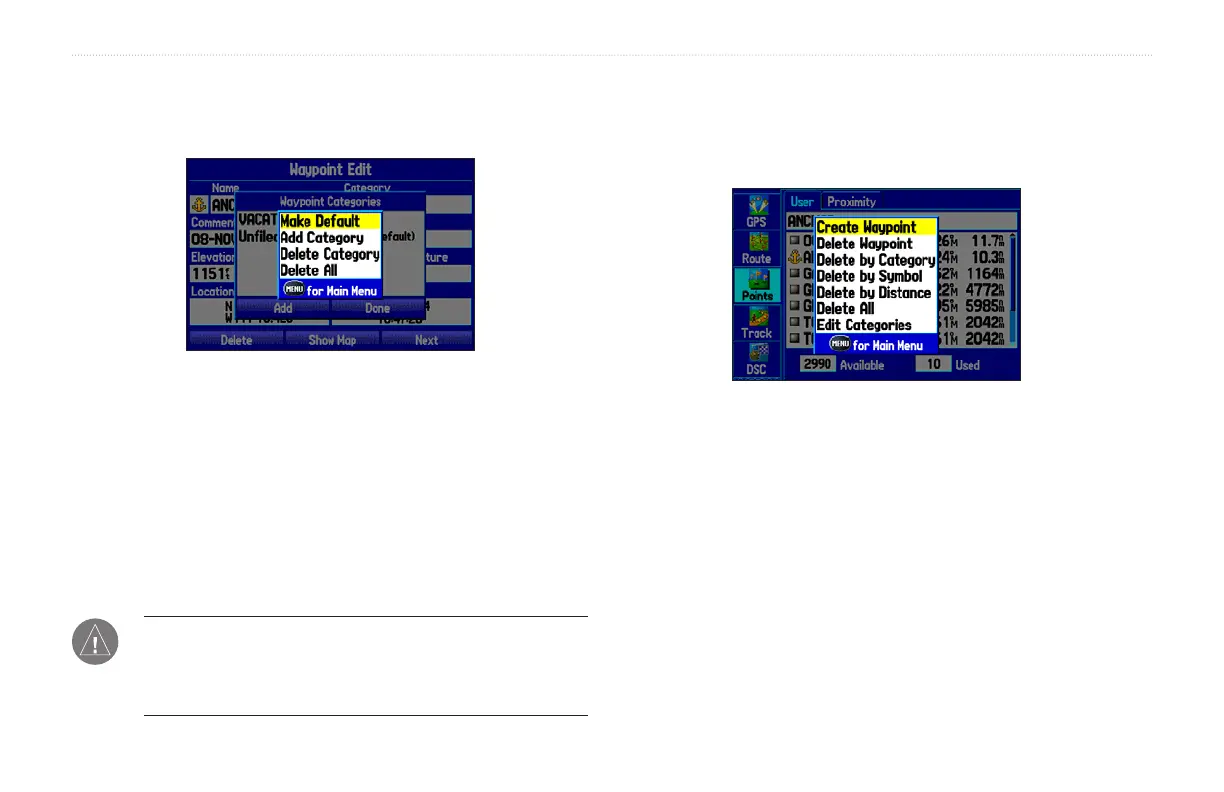
To delete a category:
1. With the Waypoint Categories window open, highlight the
category to delete. Press MENU.
Waypoint Categories Options Menu
2. Select Delete Category and press ENTER.
3. Press ENTER again to finish deleting the category.
Deleting Waypoints
You can delete waypoints from the waypoint list in the Points tab or
from the Waypoint pages. To delete a waypoint from the Waypoint
page, use the Rocker key to highlight the on-screen Delete button
and press ENTER.
NOTE: Once a waypoint is deleted from the list, it cannot be
recovered from the unit. Back up important waypoints to a
computer using the optional PC cable and interface software,
such as MapSource, or write them down by hand.
To delete a waypoint from the User Points tab:
1. From the User Points tab, use the Rocker key to highlight
the waypoint you want to delete.
2. Press MENU, highlight Delete Waypoint, and press ENTER.
You can delete waypoints using a variety of methods. Press MENU to open
the User Points options menu.
3. Press
ENTER to confirm.
To delete waypoints by symbol or category:
1. From the User Points tab, highlight the waypoint you want to
delete and press MENU.
2. Highlight Delete by Symbol or Delete by Category and
press ENTER.
34 GPSMAP 276C Owner’s Manual
BASIC OPERATION IN MARINE MODE > CREATING AND USING WAYPOINTS













 To Next Page