To create a new route:
1. Press the NAV key to open the Navigate Menu.
2. Highlight New Route and press ENTER.
3. From the Find Menu, highlight Waypoints and press ENTER.
(You may also choose to go to other points, such as Cities or
Tide Stations from this list. The steps vary only slightly from
those listed for Waypoints.)
4. Select a waypoint from the list and press ENTER to display
the Waypoint page.
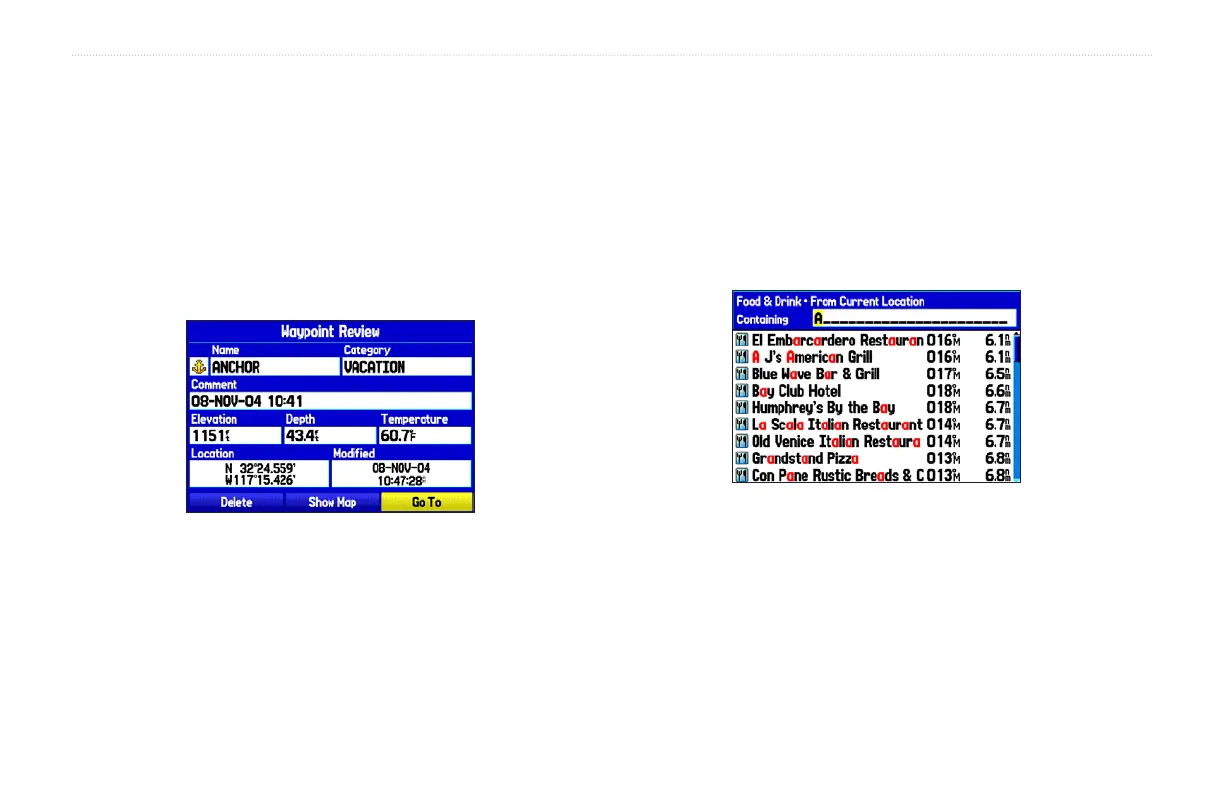
Waypoint Review Page
Activating a Go To using the Find Menu
5. The Waypoint page automatically opens. With the Go To
button highlighted, press ENTER to begin navigation.
To go to a destination using the Find Menu:
1. Press FIND to open the Find Menu.
2. Using the Rocker key, highlight the desired category, such
as Cities, and press ENTER.
3. Press ENTER and use the Rocker key to begin entering the
letters contained in the item name. The list begins to sort by
the items which contain the letters you are entering. Press
ENTER when finished.
Finding an item using the Containing field: The unit searches for items
containing the letter combination you enter and displays them in the list.
3. Highlight the desired item from the list and press
ENTER.
4. Press ENTER when the Go To button is highlighted.
For complete information about finding an item, refer to the
“Finding an Item” section on page 18.
60 GPSMAP 276C Owner’s Manual
BASIC OPERATION IN AUTOMOTIVE MODE > NAVIGATING IN AUTOMOTIVE MODE













 To Next Page