To use the Marine Timer:
1. Press the ROCKER up or down to select the time you want
to count. Five (5) minutes is the default.
2. Press ENTER to start the timer. Use the ROCKER during the
timing to quickly select a different length of time.
3. Press ENTER to stop timing.
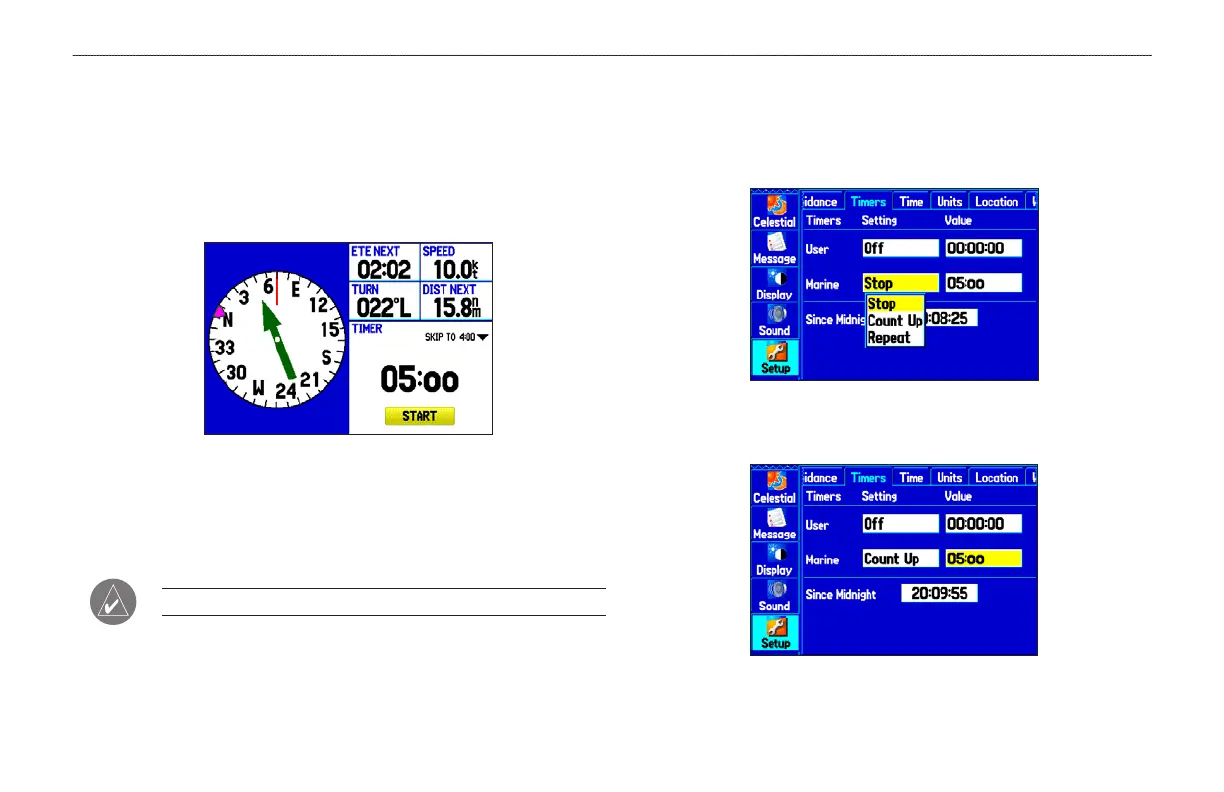
Marine Timer on the Compass Page
As discussed previously, the timer is set to count down five minutes.
If you want to change the length of time and the behavior or the
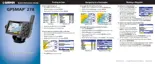
timer, open the Timers Setup tab on the Main Menu.
NOTE: You can set the timer countdown for up to 60 minutes.
To set the Marine Timer:
1. Highlight the Setup tab on the Main Menu, and then select
the Timers sub tab.
2. Highlight Stop next to Marine to change the timer’s behavior.
3. Highlight the time field, press ENTER, and then enter a new
time.
GPSMAP 278 Owner’s Manual 51
MARINE MODE PAGES > COMPASS PAGE













 To Next Page