Position Data Page
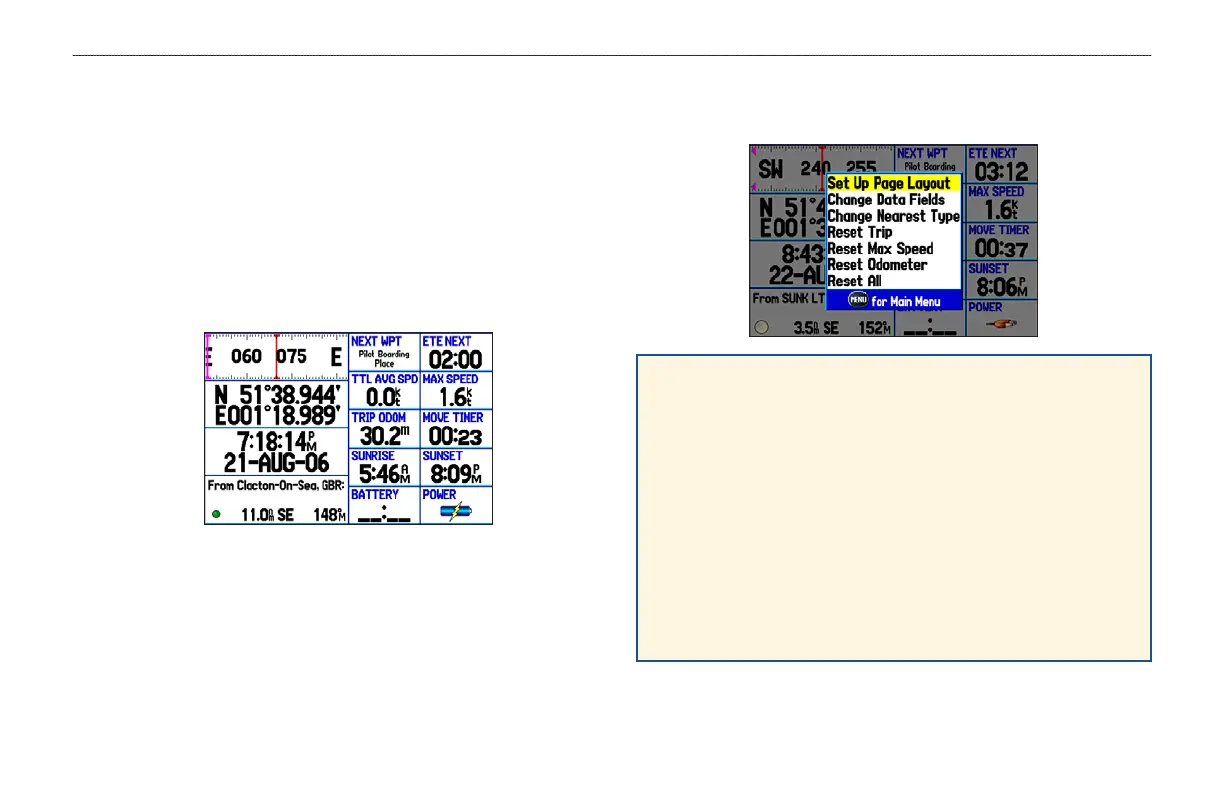
The Position Data Page shows important navigation data while
navigating a route in Marine Mode. By default, the Position Data
Page shows a compass ribbon, your current latitude and longitude,
date and time, your location in relation to a prominent nearby
landmark such as a waypoint or city, and eight user-selectable data
fields. The compass ribbon appears at the top of the page to show
your current heading with a red, vertical bar. To stay on course, steer
toward the violet bar (or arrows) until it is aligned with the red bar.
Position Data Page Options
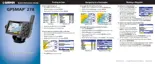
Press MENU to open the Position Data Page options menu.
Change Nearest Type—specify the type of item use as the
nearest item (shown in the lower-left data field). The choices
vary based on the current usage mode.
Reset Trip—clear trip information, except the maximum speed
and the odometer.
Reset Max Speed—clear the maximum speed.
Reset Odometer—clear the running total of the distance
traveled since the odometer was last reset.
Reset All—clear all trip information including the maximum
speed and odometer.
GPSMAP 278 Owner’s Manual 55
MARINE MODE PAGES > POSITION DATA PAGE













 To Next Page