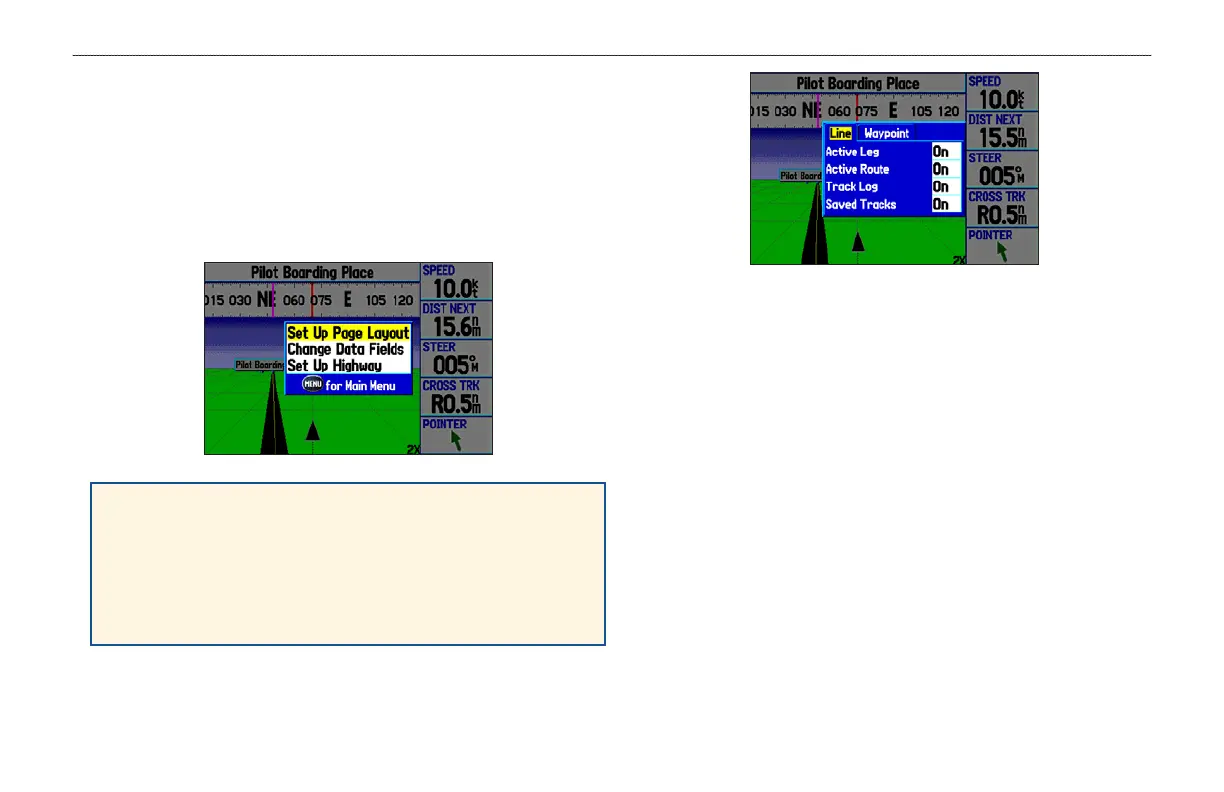
Highway Page Options Menu
Use the Highway Page options menu to define the data fields and
select which waypoints and tracks appear on the screen. The data
fields, located along the right side of the page, provide various types
of useful data.
Press MENU to open the Highway Page options menu.
Set Up Page Layout—select the page layout.
Change Data Fields—change onscreen data fields.
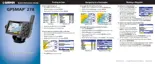
Set Up Highway—shows an options menu with two sub tabs:
Line and Waypoint. Each tab has on/off settings for options
including enabling the line for the Active Leg and Track Log.
Set Up Highway
GPSMAP 278 Owner’s Manual 53
MARINE MODE PAGES > HIGHWAY PAGE













 To Next Page