16 GPSMAP 640 Owner’s Manual
Marine Mode: Navigating
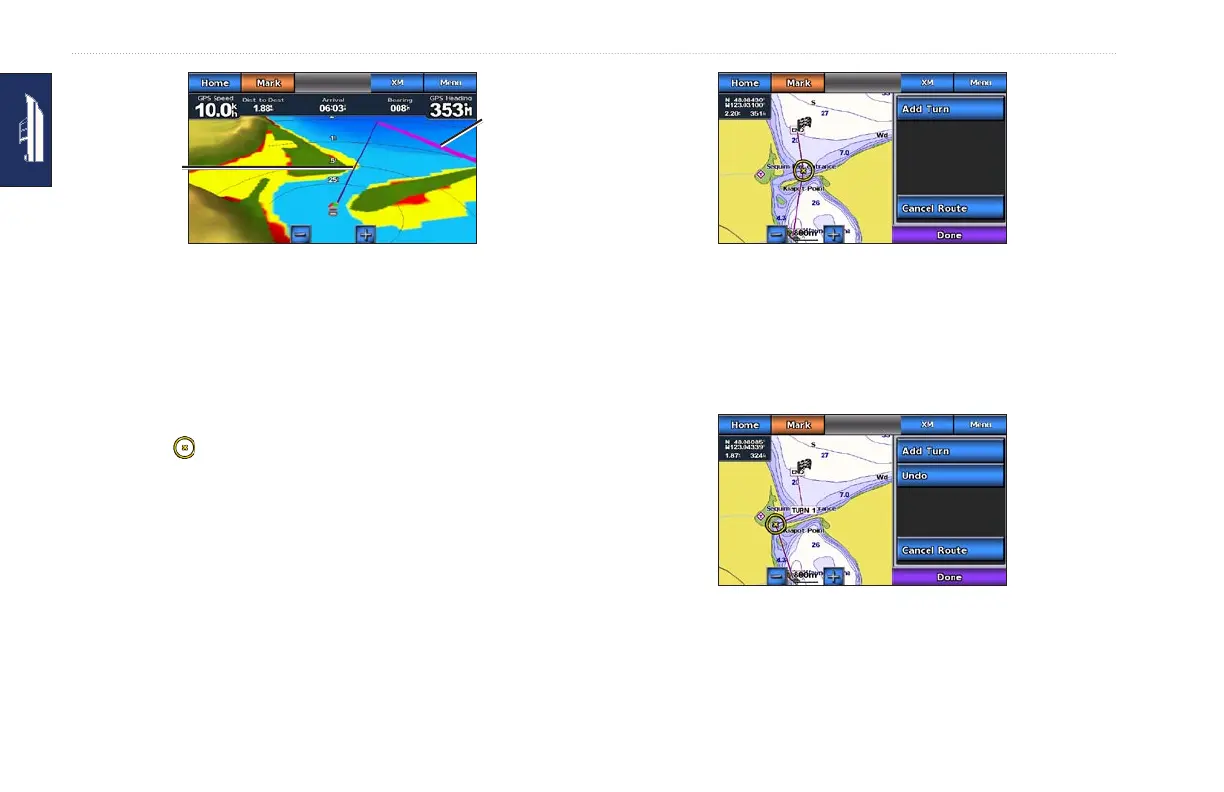
Corrected
course
Direct course
Following a Direct Course on the
Mariner’s Eye 3D Screen
NOTE: When following a course, important navigation
information appears in a data bar along the top of the chart. To
adjust the settings of the data bar, see page 40.
Creating a Route (Route To)
1. When the pointer icon is on the location you want to
navigate to, or you have selected a destination using Where To,
touch Navigate To > Route To.
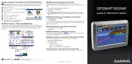
2. Touch the location where you want to make the last turn toward
your destination.
Adding the Last Turn
3. Touch Add Turn.
4. To add an additional turn, touch another location where you
want to make a turn (working backward from the destination)
and then touch Add Turn. You can add up to 250 turns to a
route.
Adding an Additional Turn















 To Next Page