3
GPSmap 76CS
Getting Started
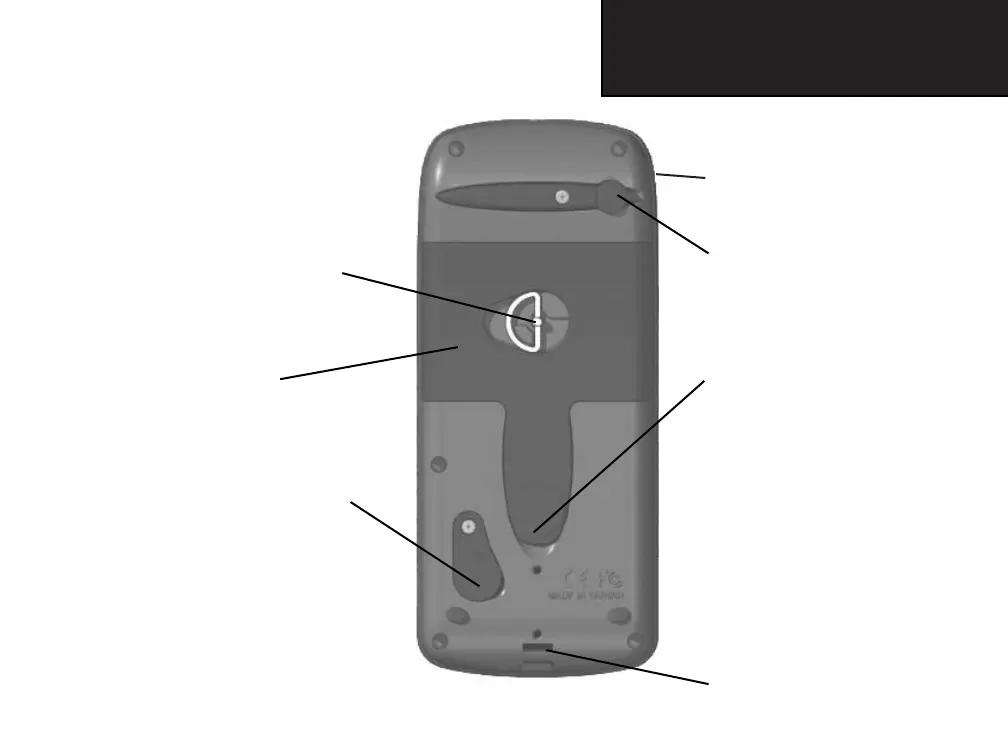
Battery Compartment Locking D-Ring
• Turn 1/4 turn counter-clockwise
and lift to remove cover
Battery Compartment Cover
(weather cover)
USB Connector Port (under weather cover)
• Provides interface to a PC for faster
data transfer
Unit Features
GPS Antenna (on front of unit)
• Provides quick satellite acquisition
Auxiliary GPS Antenna Connector
(under weather cover)
• Provides connection to a remote
GPS
antenna (MCX connector)
External Power and Data Connector
Port (under weather cover)
• Provides serial port interface to a
PC for data transfer
• Provides auxiliary AC or DC
power adapter connection
Carry Lanyard Attachment Slots
GPSmap 76CS Owner's Guide copy.indd 3 3/30/2004, 1:57:19 PM













 To Next Page