42 GPSMAP 78 Series Owner’s Manual
Appendix
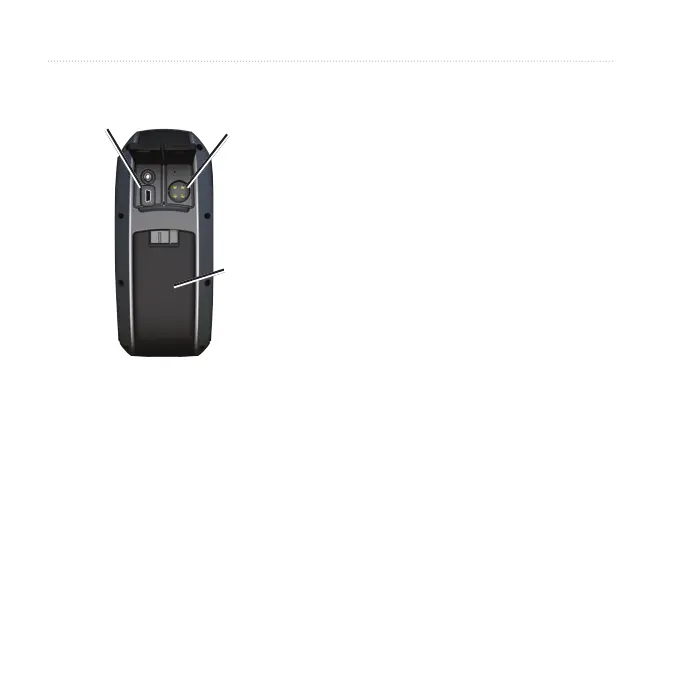
Mini-USB
port under
weather cap
Serial port
under
weather cap
microSD
card slot
(inside battery
compartment)
3. Plug the small end of the USB
cable into the mini-USB port.
Your device and micro SD card
(optional) appear as removable
drives in My Computer on
Windows computers and as
mounted volumes on Mac
computers.
Transferring Files to Your
Computer
After you have connected the device
to your computer, you can copy and
paste les from your computer into the
device drives/volumes.
1. Browse your computer for the le.
2. Select the le.
3. Select Edit > Copy.
4. Open the “Garmin” or memory card
drive/volume.
5. Select Edit > Paste.











 To Next Page