4 GPSMAP 78 Series Owner’s Manual
Getting Started
Acquiring Satellite
Signals
It may take 30 to 60 seconds to acquire
signals.
1. Go outdoors to an open area.
2. If necessary, turn on the device.
3. Wait while the device searches for
satellites.
A question mark ashes while the
device determines your location.
4. Quickly press to open the
backlight status page.
The GPS bars indicate satellite
strength. When the bars are green, the
device has acquired satellite signals.
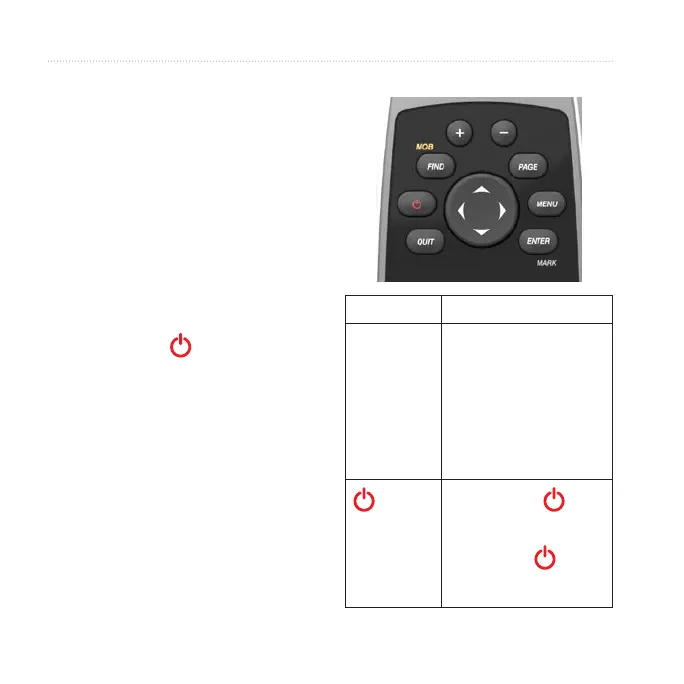
Buttons
Button Description
FIND/MOB Press FIND to open the
search menu.
Press and hold MOB
(man overboard function)
to store your current
location as a waypoint
and begin navigation to
that point.
Press and hold to
turn the device on and
off.
Quickly press to
open the backlight status
page.











 To Next Page