GPSMAP 78 Series Owner’s Manual 41
Appendix
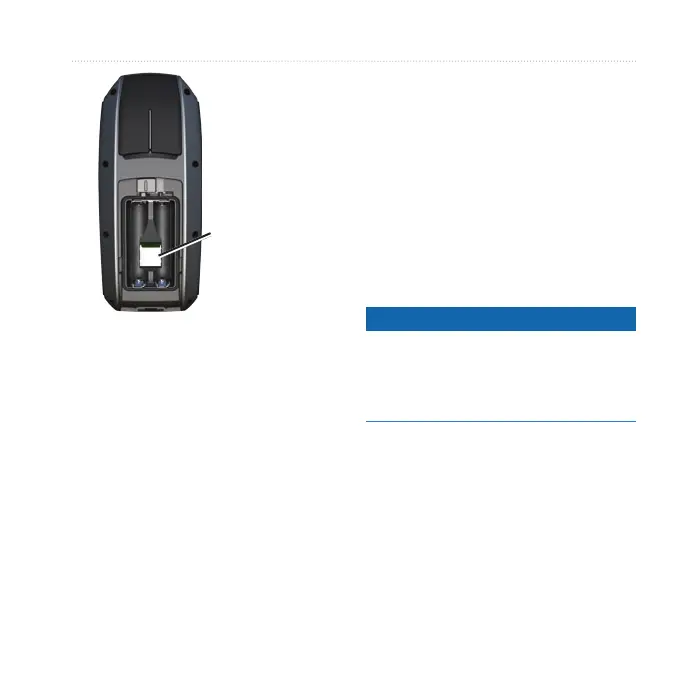
microSD card
slot
4. Push in and slide up the metal
cover.
5. Replace the batteries and the
battery cover.
Removing a microSD Card
1. Slide down and pull out the metal
cover.
2. Remove the card from the slot.
3. Push in and slide up the metal
cover.
4. Replace the batteries and the
battery cover.
Connecting the USB Cable
notice
To prevent corrosion, thoroughly
dry the mini-USB port, the weather
cap, and the surrounding area before
charging or connecting to a computer.
1. Connect the USB cable to a USB
port on your computer.
2. Pull up the weather cap from the
mini-USB port.











 To Next Page