Peking to Paris 2013 - Garmin 78s GPS Setup & Use Guide
Garmin 78s P2P2013 - Setup & Use V2.doc Page 12 of 15
4. Follow (or Navigate) a Route
In GPS terms a Route is a group of linked Waypoints that the GPS can use to guide you from
one point to the next until you reach the destination.
Following a Route is considerably easier than the alternative of finding each
successive Waypoint, especially where the points are close together.
The Organisers will provide Routes for some sections of Peking to Paris.
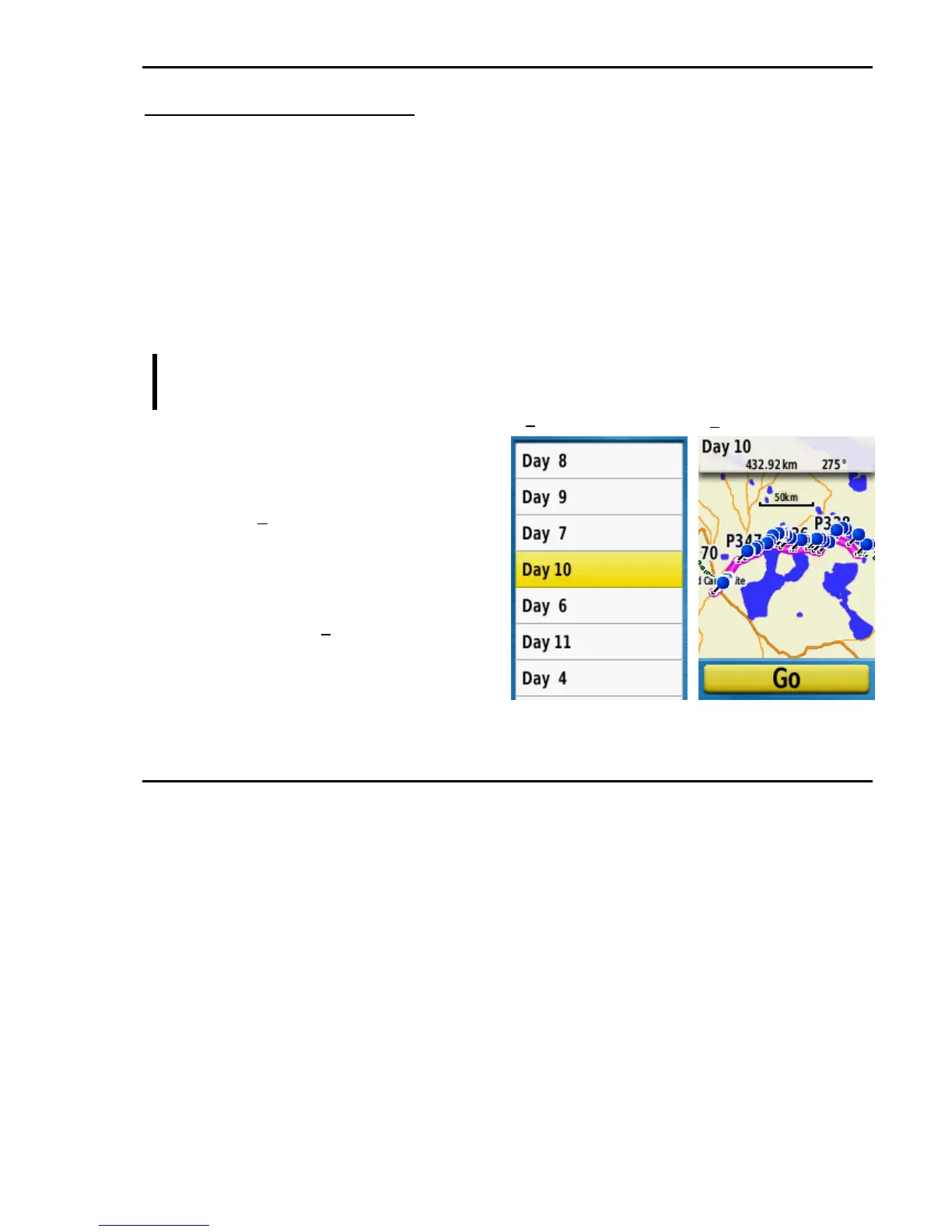
Saved Routes are listed in Routes, reached from the Find screen.
Key sequence to Activate or Navigate a Route.
FIND >> [select Routes] >> ENTER >> [select required Route]
>> ENTER >> ENTER
Explanation
FIND >> [select Routes] >> ENTER –
press FIND then select Routes and
press ENTER to reach the list of stored
Routes (1).
[select required Route] >> ENTER –
use the rocker to select the required
routes followed by ENTER to show the
Route on the Map page with the Go
button selected (2).
>> ENTER – press ENTER to begin
navigating the chosen Route.
Additional operating information
About Navigating a Route
A Route will usually be activated while you are close to the first Waypoint of the Route but
there are different situations.
If a Route is activated at a considerable distance from the start point the GPS will initially
guide you to the start of the Route.
If a Route is activated from a point some way along the line of the Route the GPS will pick
this up and guide you from the nearest point onwards.
2
1
2











 To Next Page