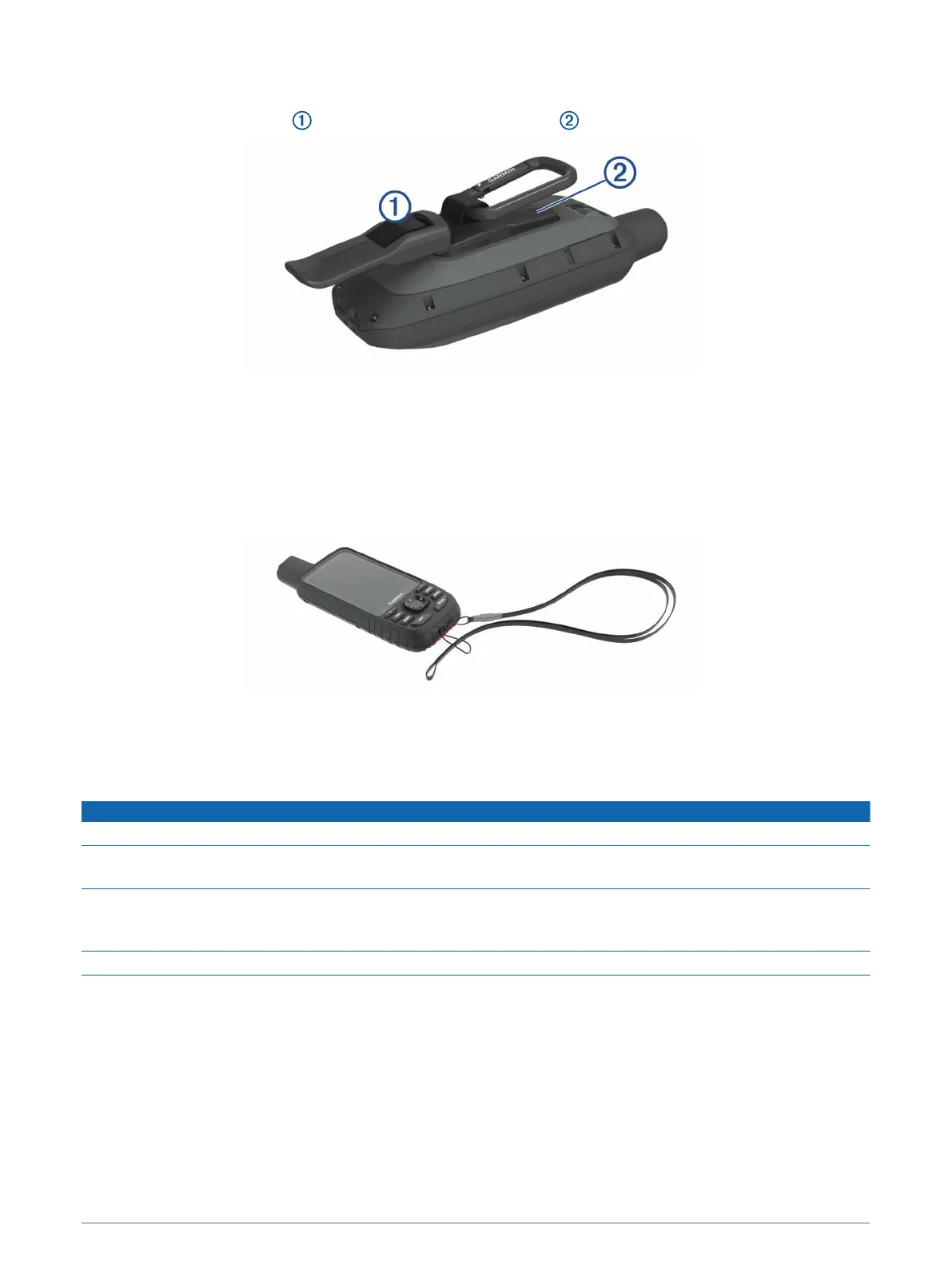
Attaching the Carabiner Clip
1 Position the carabiner clip in the slots on the mounting spine of the device.
2 Slide the carabiner clip up until it locks in place.
Removing the Carabiner Clip
Lift up on the bottom of the carabiner clip, and slide the carabiner clip off the mounting spine.
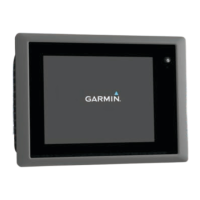
Attaching a Lanyard
1 Insert the loop of the lanyard through the slot in the device.
2 Thread the other end of the lanyard through the loop, and pull it tight.
3 If necessary, attach the lanyard to your clothing or backpack to tether it during an activity.
Device Care
NOTICE
Avoid chemical cleaners, solvents, and insect repellents that can damage plastic components and finishes.
Do not store the device where prolonged exposure to extreme temperatures can occur, because it can cause
permanent damage.
The device is water resistant to IEC Standard 60529 IPX7. It can withstand accidental immersion in 1 meter of
water for 30 minutes. Prolonged submersion can cause damage to the device. After submersion, be certain to
wipe dry and air dry the device before using or charging.
Thoroughly rinse the device with fresh water after exposure to chlorinated or salt water environments.
Cleaning the Device
1 Wipe the device using a cloth dampened with a mild detergent solution.
2 Wipe it dry.
After cleaning, allow the device to dry completely.
Data Management
NOTE: The device is not compatible with Windows
®
95, 98, Me, Windows NT
®
, and Mac
®
OS 10.3 and earlier.
42 Device Information




 To Next Page