File Types
The handheld device supports these file types:
• Files from Garmin Explore.
• GPX route, track, and waypoint files.
• GPX geocache files (Downloading Geocaches Using a Computer, page 28).
• JPEG photo files.
• GPI custom POI files from the Garmin POI Loader. Go to www.garmin.com/products/poiloader.
• FIT files for exporting to Garmin Connect.
Installing a Memory Card
You can install a microSD memory card for additional storage or pre-loaded maps. The device supports
memory cards up to 32 GB. For optimal performance, use a class 10 memory card.
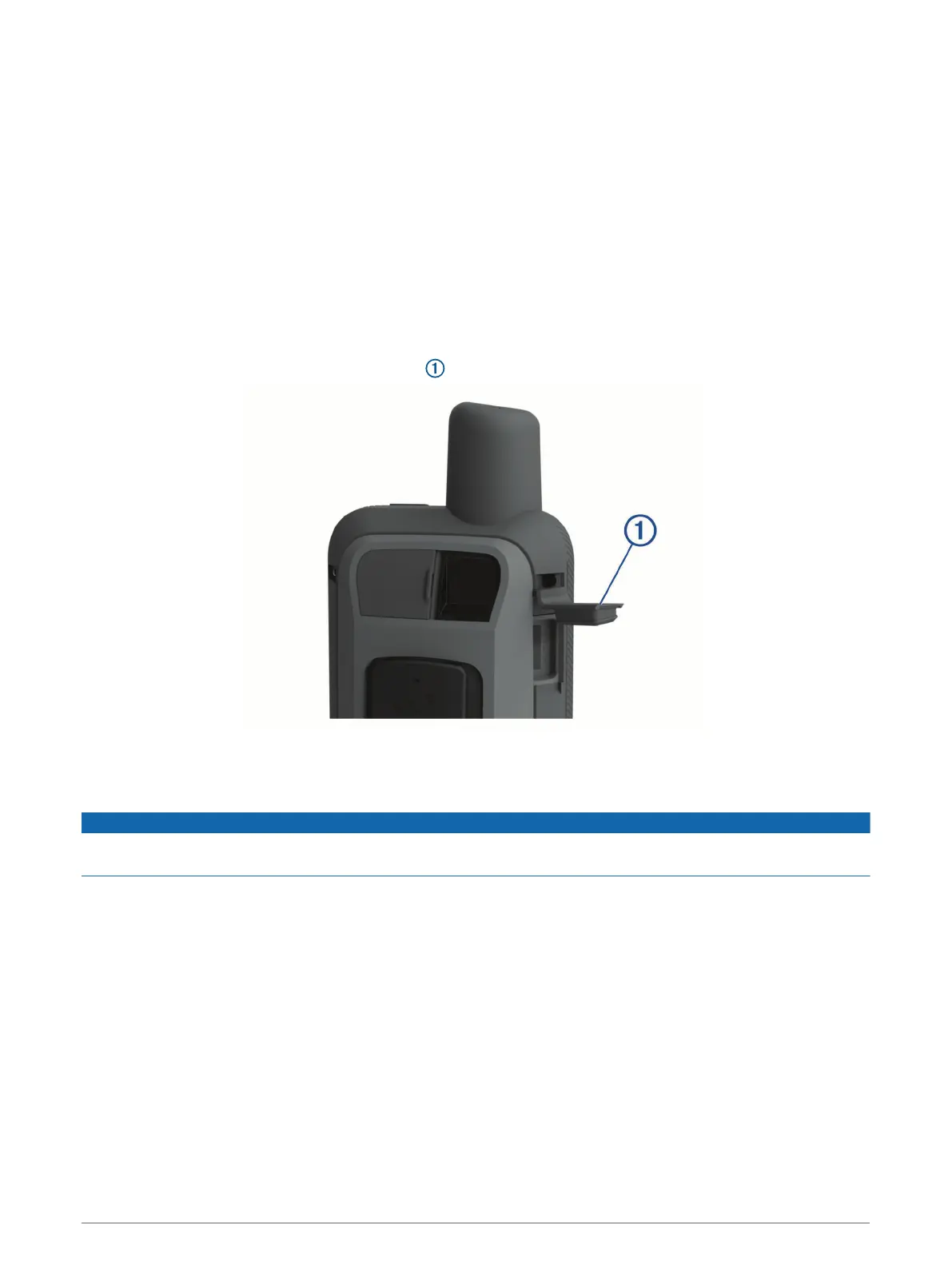
1 Lift the weather cap on the side of the device .
2 Insert the memory card with the gold contacts facing the device screen.
Connecting the Device to Your Computer
NOTICE
To prevent corrosion, thoroughly dry the USB port, the weather cap, and the surrounding area before charging or
connecting to a computer.
1 Pull up the weather cap from the USB port.
2 Plug the small end of the USB cable into the USB port on the device.
3 Plug the large end of the USB cable into a computer USB port.
Your device and memory card (optional) appear as removable drives in My Computer on Windows
computers and as mounted volumes on Mac computers.
Device Information 43




 To Next Page