INSTALLATION OF STANDALONE TWIN
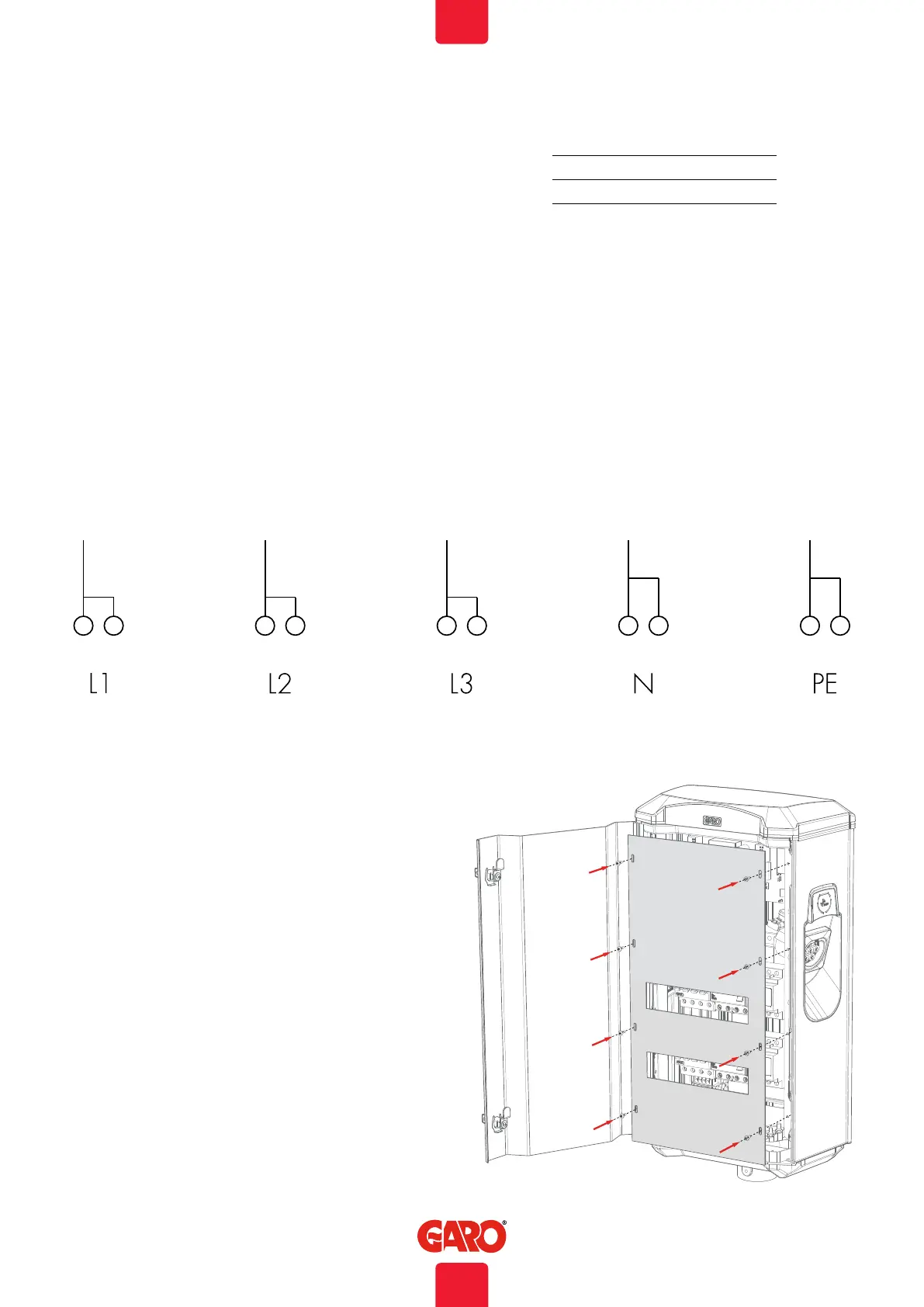
8. Assembly the front cover and close the front door, see (figure
12).
9. Turn on electrical power.
10. For GTBDCW… models: Connect a mobile device (PC/
Tablet/Mobile) to the TWIN Wifi network. You find SSID and
password on a label inside the front door. Type in 172.24.1.1
in your web browser and check that the TWIN web interface is
visible. This action confirms that the TWIN wifi module is working
properly. TWIN need to be powered on for around 15min
before this action.
11. Test the TWIN with a test instrument or test to charge an
electric vehicle to ensure that the TWIN is working properly.
12. Doublecheck that the Warranty Form is filled in completely,
sign with name, date and company that the warranty is valid.
TWIN 3,7 kW = MAX 16 A
TWIN 7,4 kW = MAX 32 A
TWIN 11 kW = MAX 16 A
TWIN 22 kW = MAX 32 A
Max current (A) for each side and model
Cu = 2,5Nm, Al = 4Nm
(figure 11)
(figure 12)
8
EN


 To Next Page