3
Powering On
Press and release the button () while holding the detector away from any
metallic objects. You will hear 2 beeps and the LED () will remain on.
Powering Off
Press and hold the button for a half second until you hear a single beep (or
single vibration in Silent Mode), indicating power down.
Changing Settings
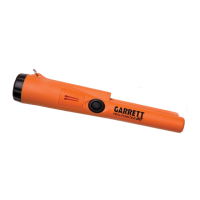
The Pro-Pointer AT has three Sensitivity settings and two detection settings:
Audio-plus-Vibrate or Vibrate-only (silent).
To enter adjustment mode, press and hold the button () for 2
seconds—indicated by a single beep followed by a dual-tone beep and
flashing LED. (Note: In Silent Mode, beeps are replaced by vibration pulses.)
The first button press after entering adjustment mode indicates the current
setting. Repeatedly press the button to cycle through the 6 settings:
1 beep = minimum Sensitivity, with audio
2 beeps = medium Sensitivity, with audio (Default setting)
3 beeps = maximum Sensitivity, with audio
1 vibrate = minimum Sensitivity/Silent
2 vibrate = medium Sensitivity/Silent
3 vibrate = maximum Sensitivity/Silent
To exit adjustment mode, press and hold the button for 2 seconds—
indicated by a dual-tone beep (dual vibrate in Silent Mode), or wait 5 seconds
for automatic exit.











 To Next Page