182
Chapter 11: Upgrading Your Computer
www.gateway.com
To install or replace DIMM memory:
1 Remove the side panel by following the instructions in “Removing the side
panel” on page 162.
2 For more stability, place your computer on its side. To avoid scratching
the case, place it on a towel or other non-abrasive surface.
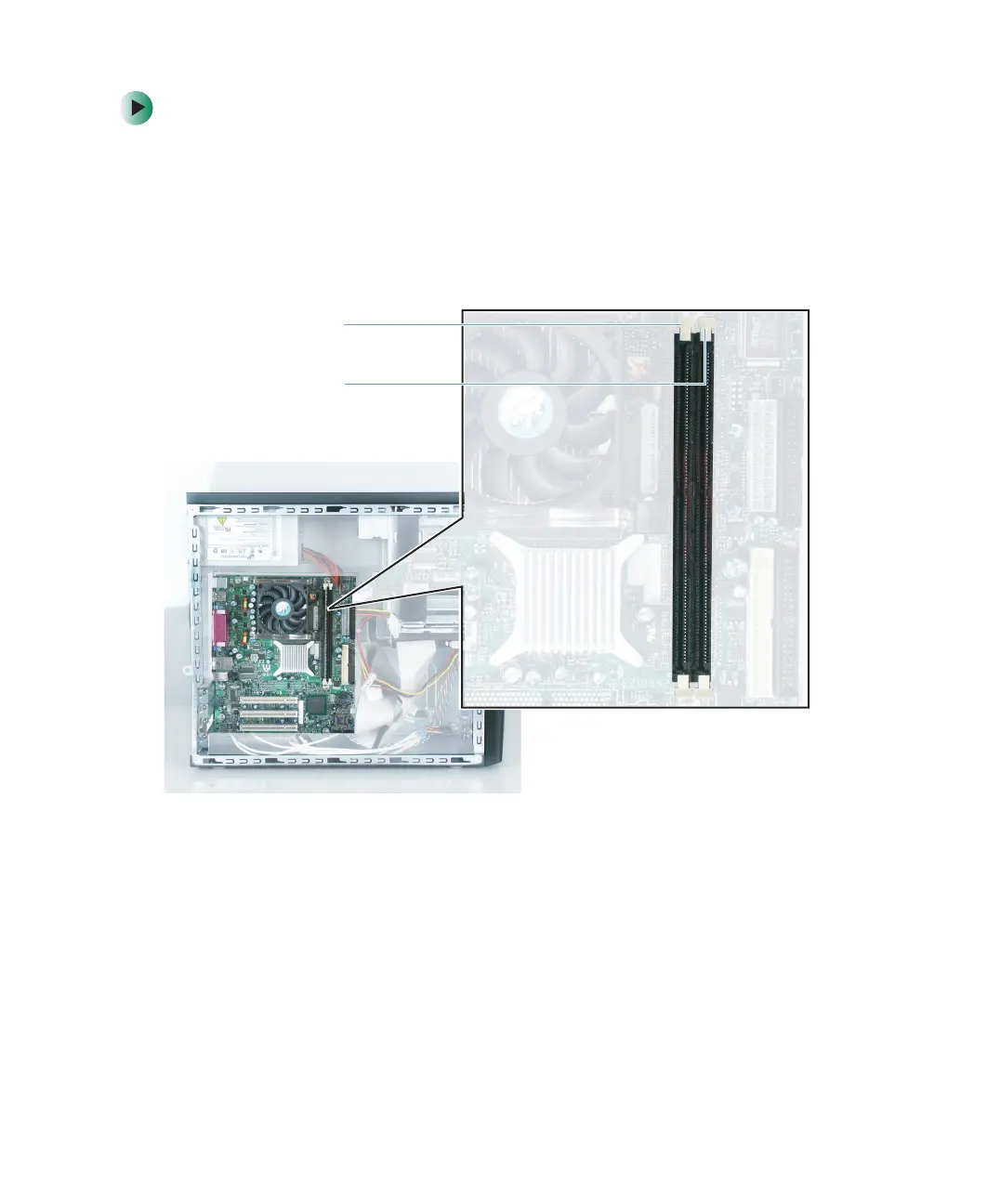
3 Find the memory module banks on your system board.
DIMM 0
DIMM 1



 To Next Page