183
Installing memory
www.gateway.com
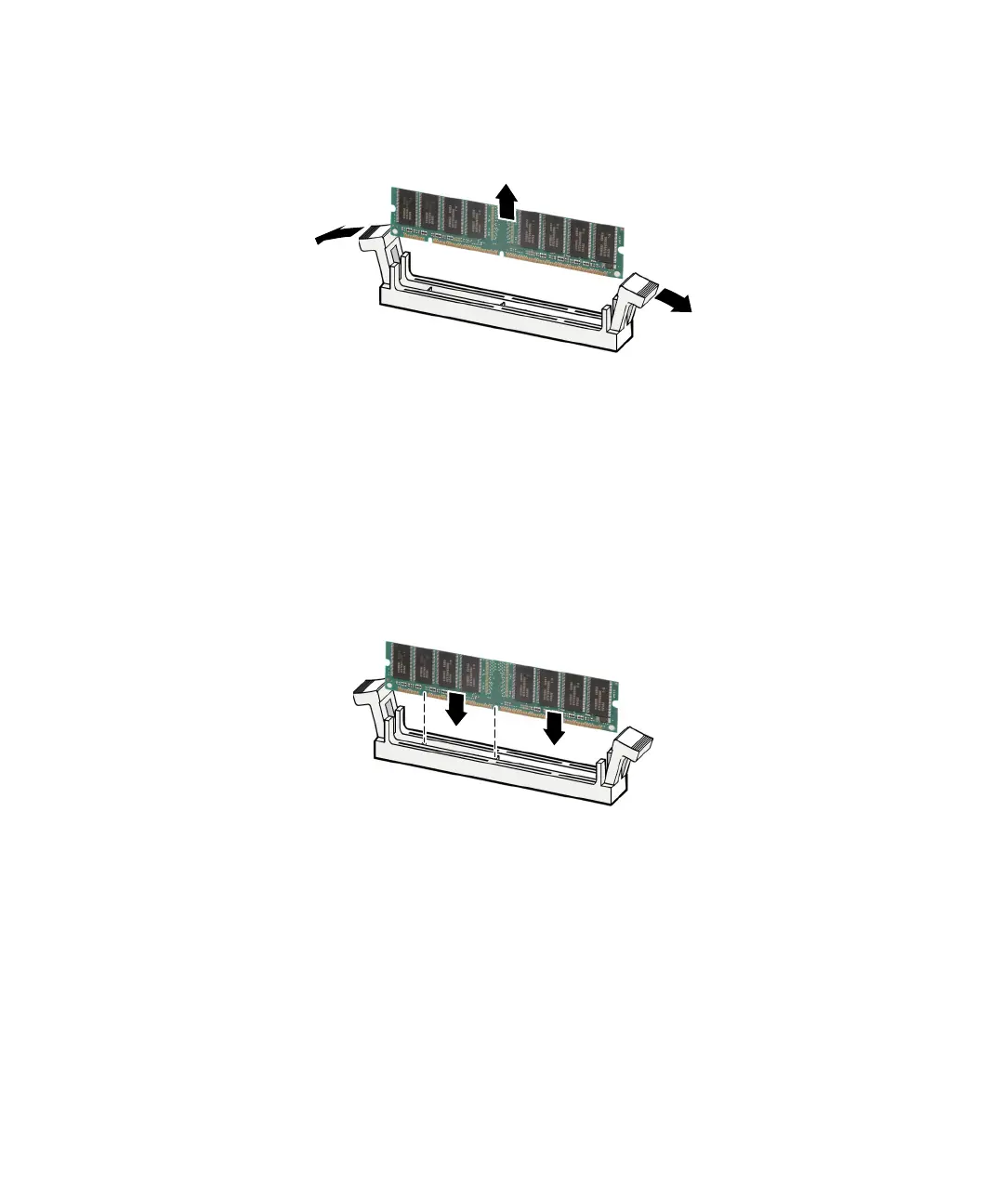
4 If you are removing a DIMM from the memory module bank, gently pull
the plastic tabs away from the sides of the memory module and remove it.
- OR -
If you are adding a DIMM to an empty memory module bank, gently pull
the plastic tabs away from the sides of the memory module bank.
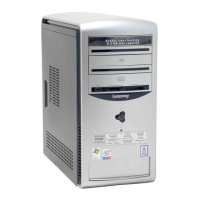
5 Fill the DIMM 0 memory slot first. When adding memory, fill the DIMM 1
memory slot. Align the notches on the new DIMM with the notches on
the memory module bank and press the module firmly into the bank. The
tabs on the sides of the memory module should secure the memory module
automatically. When the module is secure, you hear a click.
6 Replace the side panel by following the instructions in “Replacing the side
panel” on page 166.
7 Return your computer to its upright position.
8 Reconnect the cables and the power cord.



 To Next Page