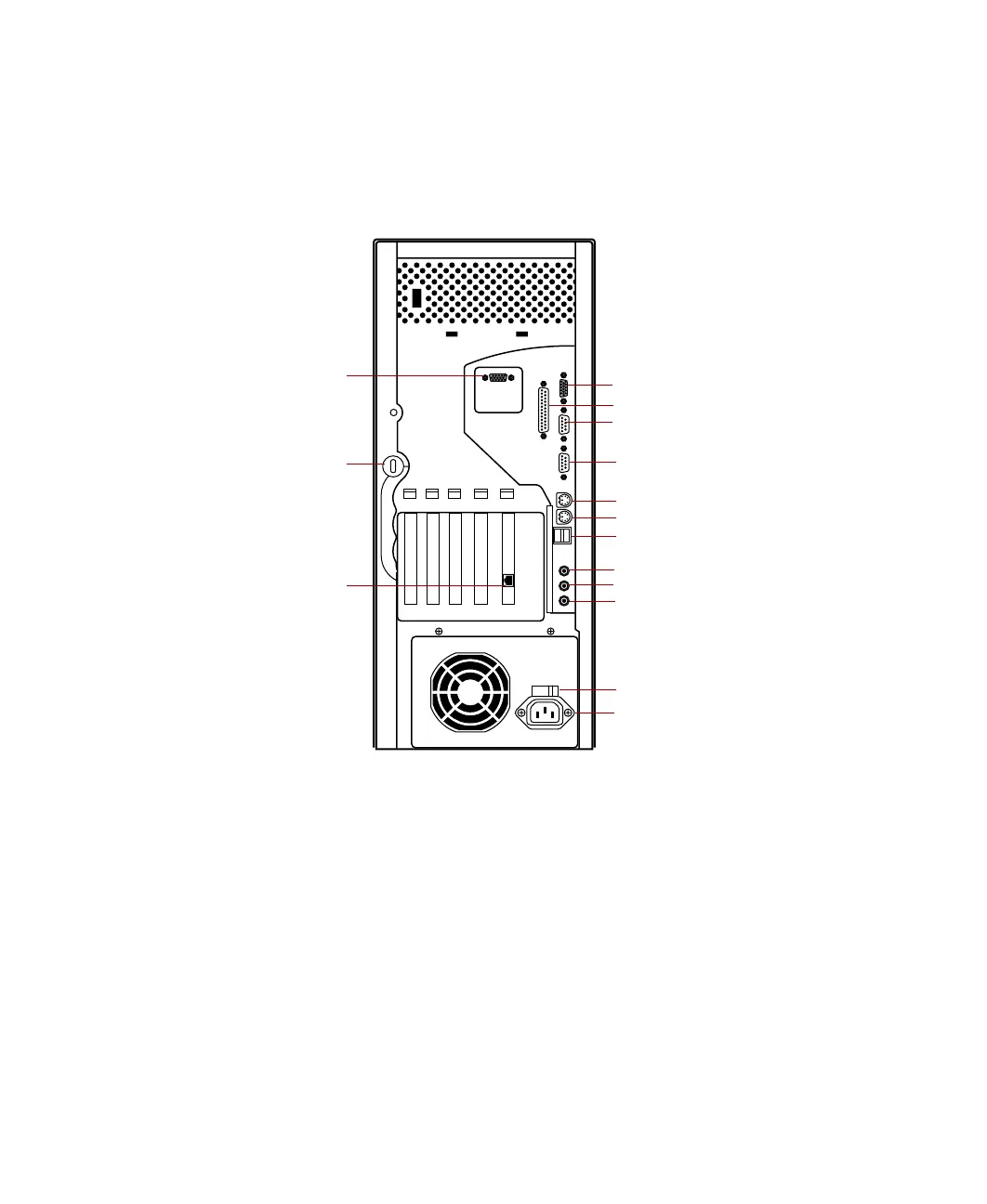
Back panel 5
Back panel
The mid tower back panel includes the following Input/Output (I/O) ports,
connectors, and switches:
AGP video card connector (optional) connects to the monitor interface cable
if not using the integrated video.
Audio Line-out, Microphone-in, and Line-in jacks connect audio devices
such as speakers, tape players, and microphones.
Kensington lock slot permits the use of a cable lock to secure the system.
Keyboard port connects a Personal System/2
®
(PS/2) compatible keyboard.
Mouse port connects a PS/2 compatible mouse.
Parallel port connects a printer or other parallel device.
Mouse port
Keyboard port
USB ports
Audio line-out
Audio line-in
Video port
Parallel port
Voltage selector
Power connector
RJ-45 LAN connector
Serial port B
Kensington lock slot
Serial port A
Microphone-in
AGP video card
connector (optional)
05957.book Page 5 Monday, May 8, 2000 10:09 AM



 To Next Page