Replacing the AGP card 49
Replacing the AGP card
Observe the following instructions for replacing the Accelerated Graphics Port
(AGP) card.
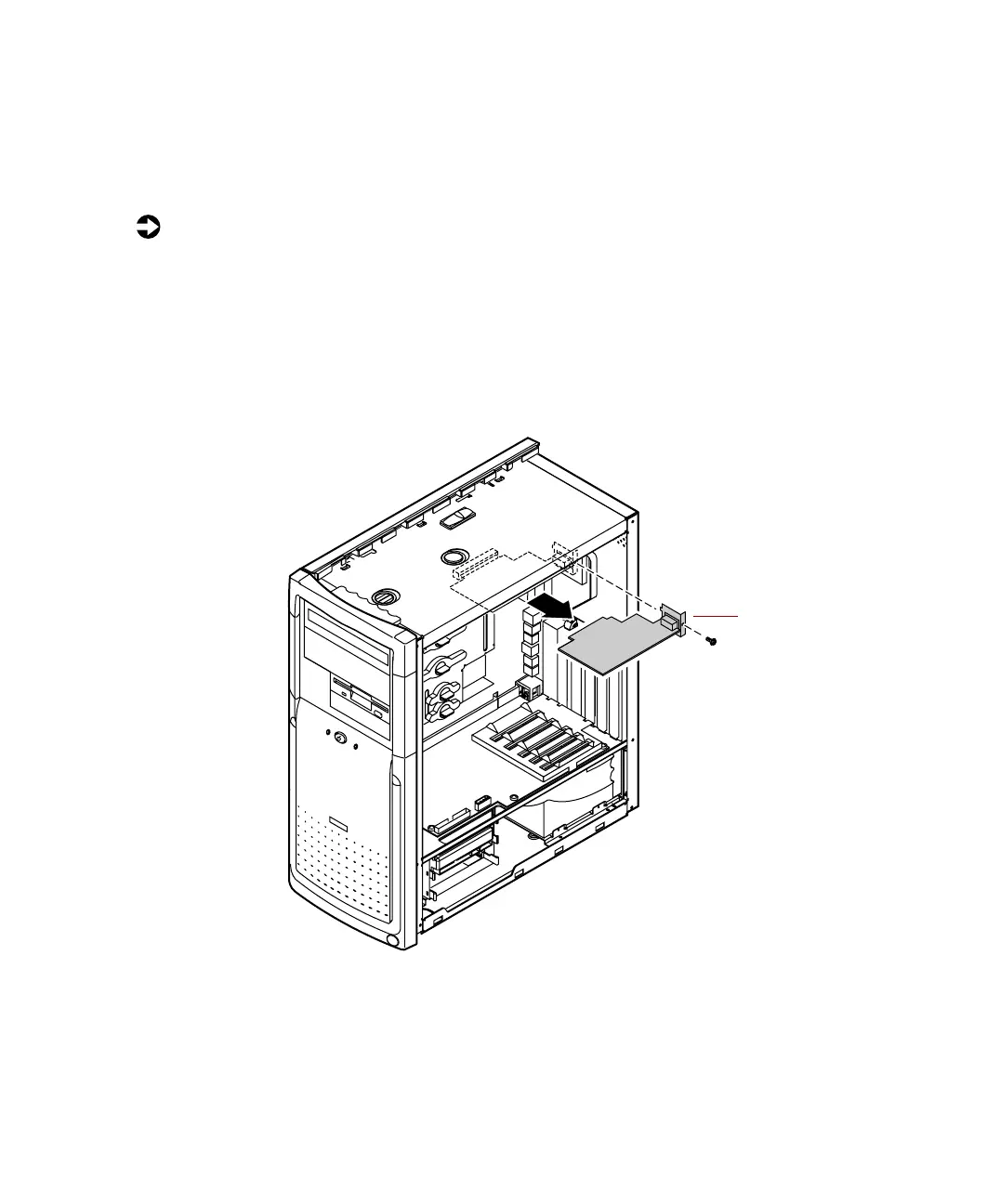
To replace the AGP card:
1 Turn off the computer, disconnect the power cord, modem cord (if
installed), and all external peripheral devices.
2 Remove the right panel. (See “Removing the side panels” on page 19 and
observe the “Static electricity precautions” on page 17.)
3 Using a Phillips screwdriver, remove the screw that secures the AGP card
to the rear panel, then pull out the card.
4 Install the new AGP card, making sure the card is firmly seated on the
system board, then secure the AGP card to the rear panel with the screw.
5 Reconnect the power cable, the monitor cable, and all peripheral devices,
then turn on the system.
AGP card
05957.book Page 49 Monday, May 8, 2000 10:09 AM



 To Next Page