Replacing or adding drives 29
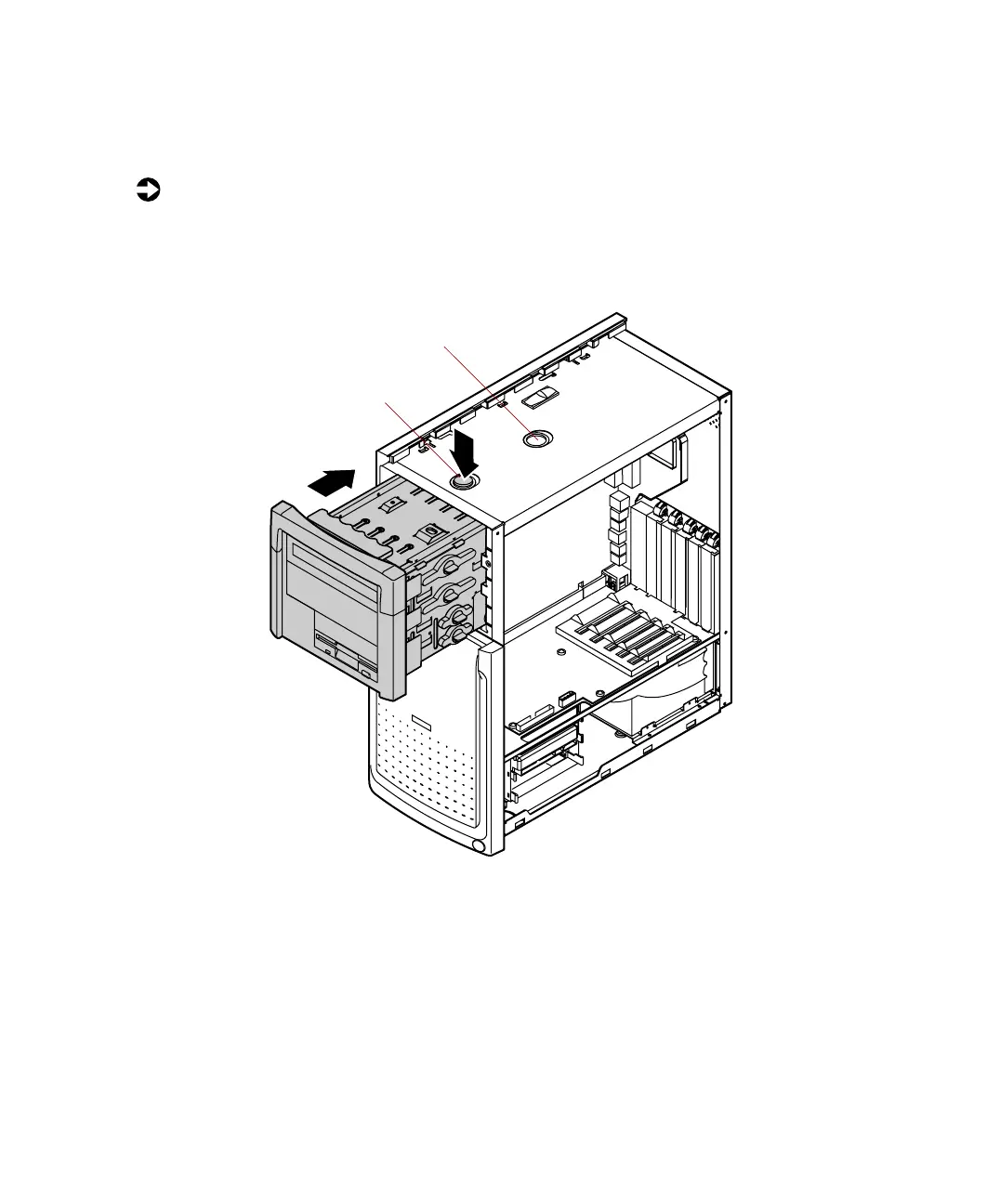
Reinserting the drive cage
You can easily slide the drive cage back into the chassis.
To reinsert the drive cage:
1 With one hand, press the drive cage release button, then push the drive
cage back into the chassis with the other hand until the release button
snaps into the rear locking hole.
2 Replace the right panel. (See “Replacing the side panels” on page 23 for
instructions.)
3 Reconnect the power cord and all other cords you removed, then turn
on the system.
1
2
Drive cage
release button
Release button
rear locking hole
05957.book Page 29 Monday, May 8, 2000 10:09 AM



 To Next Page