34 Replacing and Adding System Components
Adding a second 5.25-inch device
You can add a second 5.25-inch device, such as a CD-RW or CD/DVD drive.
You do not have to use any screws to add the device.
1 Turn off the computer, disconnect the power cord, modem cord (if
installed), and all external peripheral devices.
2 Remove the right panel. (See “Removing the side panels” on page 19 and
observe the “Static electricity precautions” on page 17.)
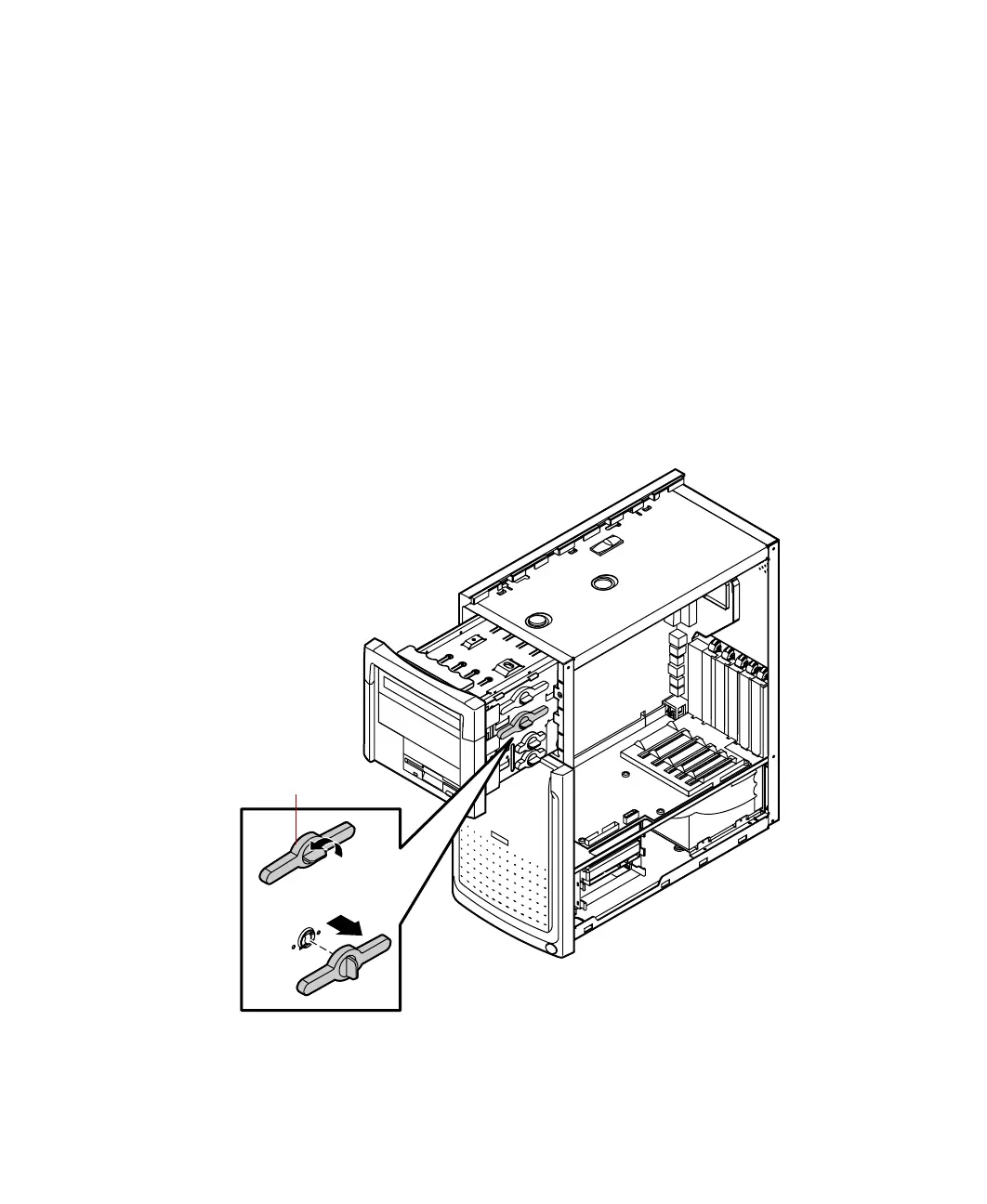
3 Release the drive cage and slide it forward in the chassis until the release
button snaps into the forward locking hole.
4 Release the drive locking tab from the empty drive bay by turning the
knob on the tab counter-clockwise to the unlock position, then remove
the tab from the drive cage.
Drive
locking tab
05957.book Page 34 Monday, May 8, 2000 10:09 AM



 To Next Page