44 Replacing and Adding System Components
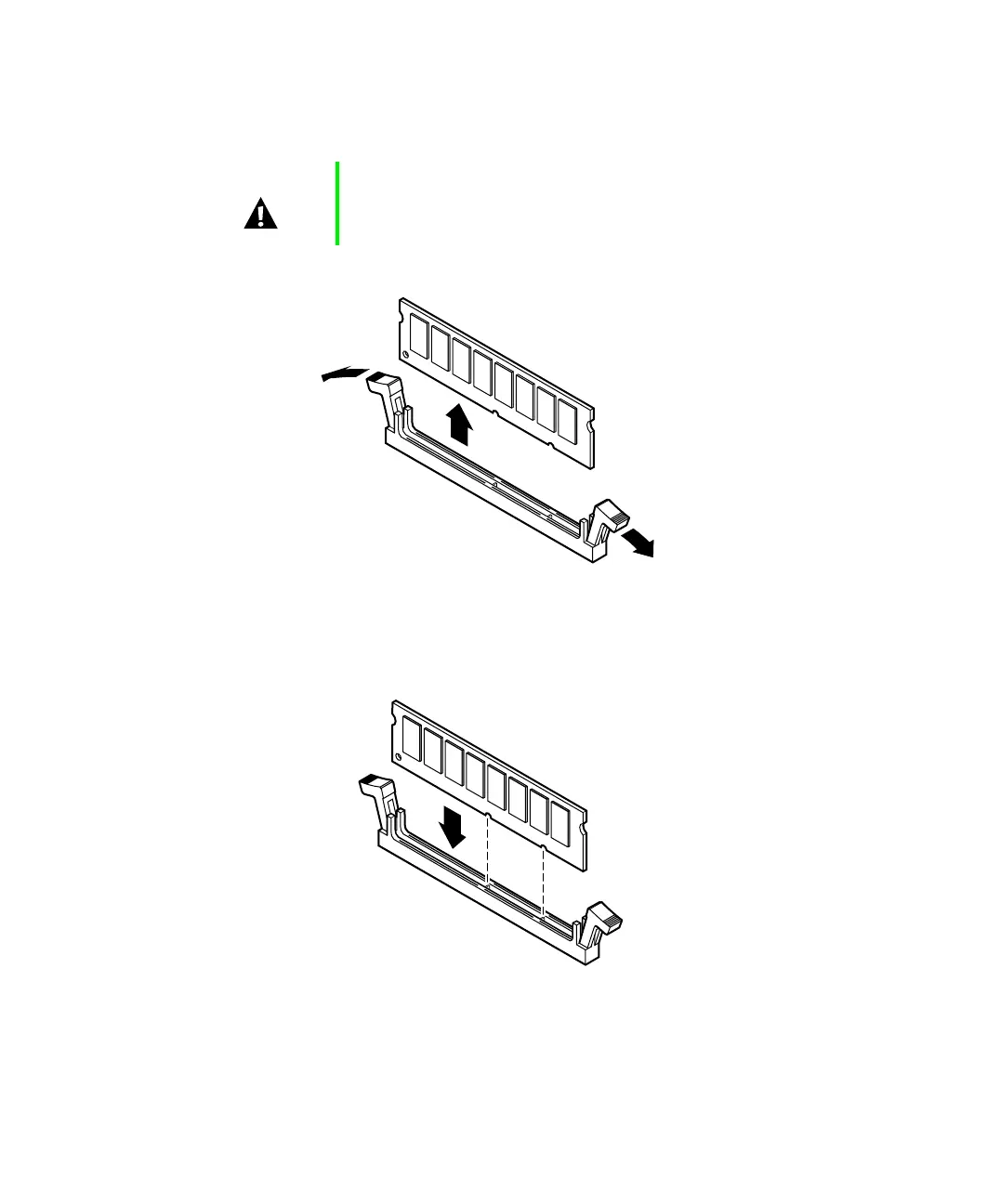
4 If you are replacing a DIMM, pull open the socket clamps on each side
of the DIMM socket and lift the DIMM out of the socket.
5 Insert the DIMM into the socket and align the two bottom notches in
the DIMM with the two notches in the DIMM socket.
6 Gently press the DIMM into the socket until the plastic socket clamps
on each side of the socket snap into the notches on the side of the DIMM.
Caution Never try to remove a DIMM without releasing the clamps.
You may break the socket, causing serious damage.
05957.book Page 44 Monday, May 8, 2000 10:09 AM



 To Next Page