60 Replacing and Adding System Components
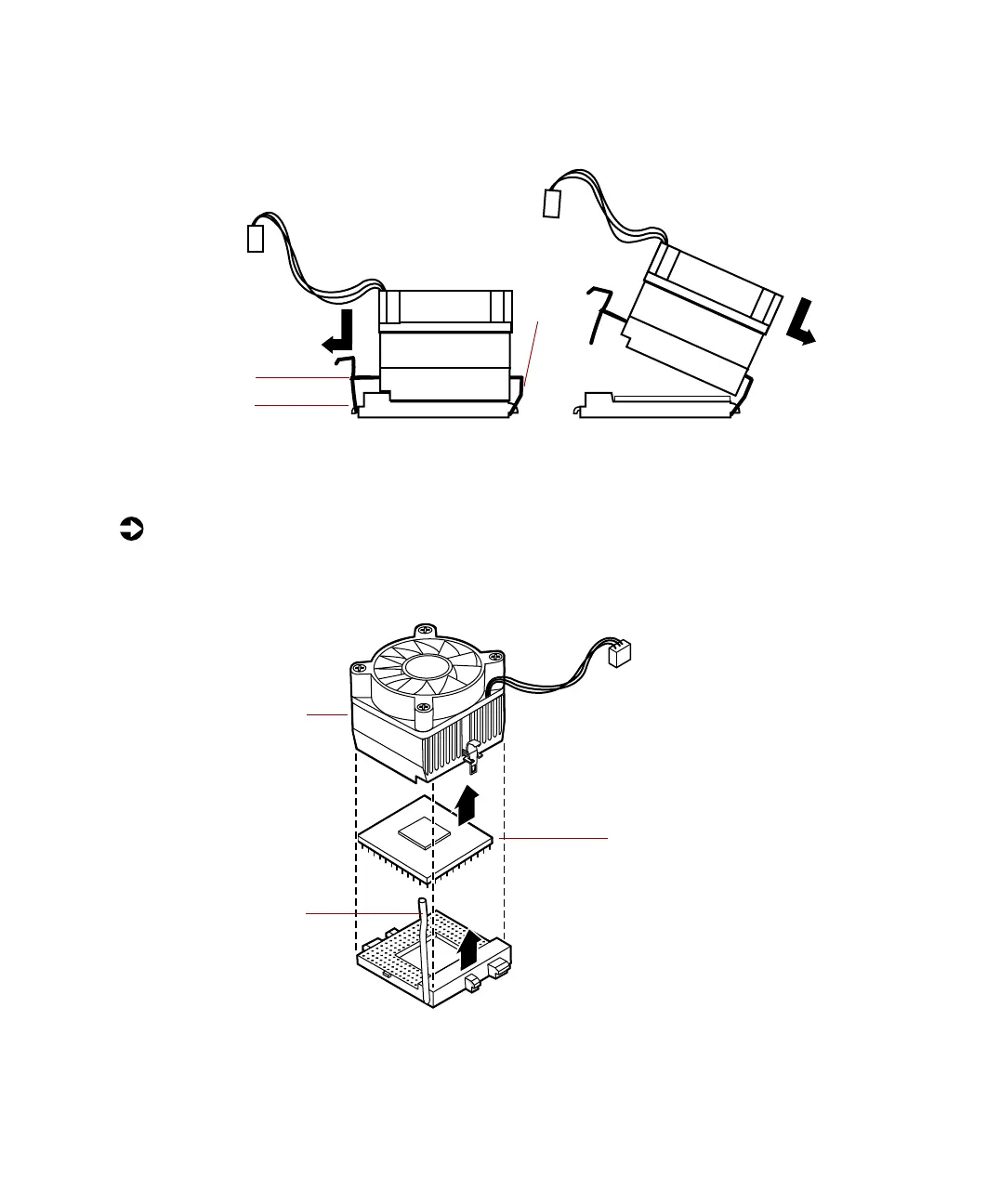
4 Unhook the metal clip from the tab on the processor socket by pressing
down on the clip, then pulling out on the clip.
5 Lift the heat sink at an angle and unhook the clip from the other tab.
Lift the heat sink off of the processor.
To remove the processor:
1 Open the locking level on the processor socket by moving the lever
slightly out to the side and then lifting it up 90 degrees.
2 Lift the old processor straight up and out of the socket.
Metal clip
Ta b
Tab
Locking
lever
Processor
Heat sink
05957.book Page 60 Monday, May 8, 2000 10:09 AM



 To Next Page