CHAPTER 6: Protecting Your Notebook
62
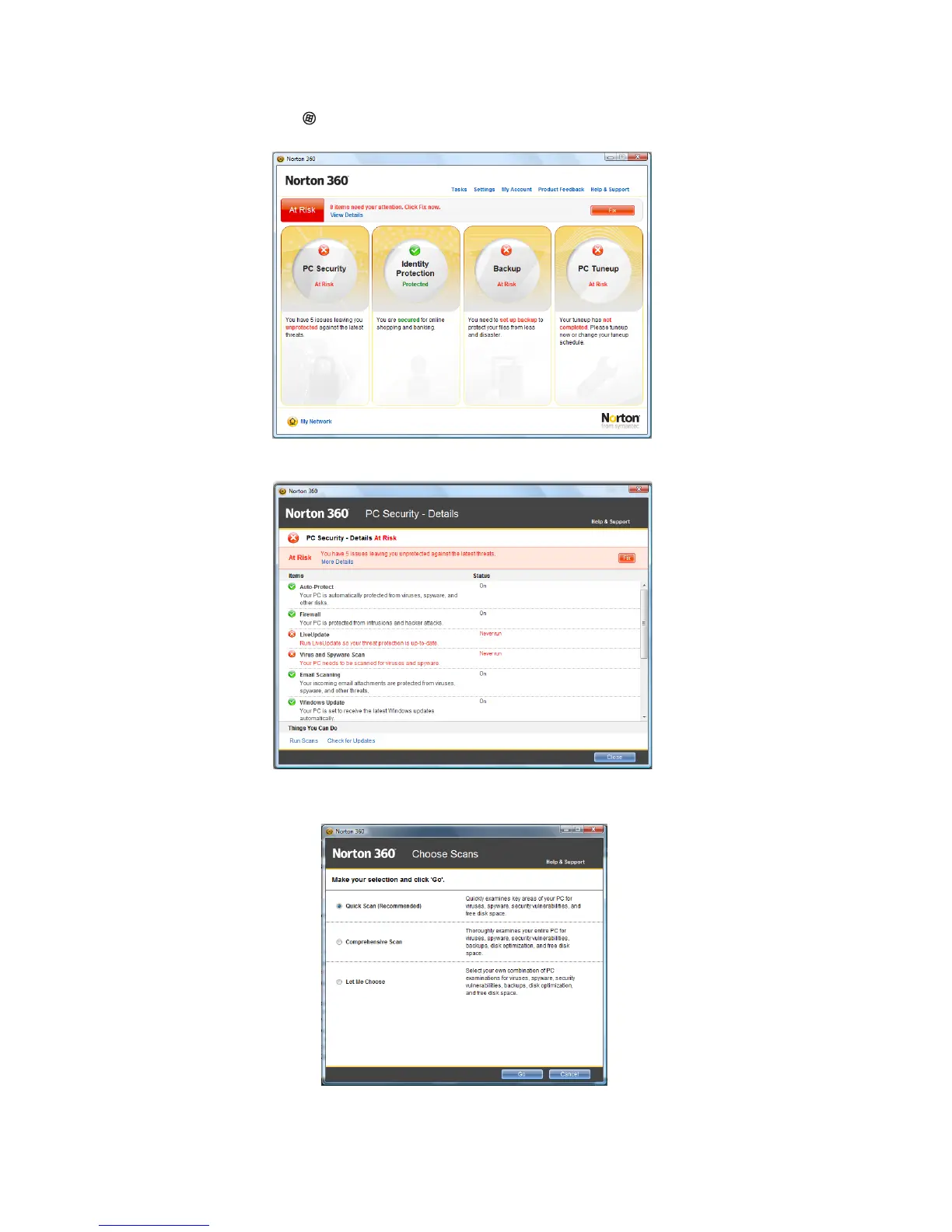
1 Click (Start), All Programs, Norton 360, then click Norton 360. Norton 360
opens.
2 Click on the left PC Security column. The PC Security window opens.
3 At the bottom of the window first click on Run Scans and then choose which
scan you would like to run and click Go.



 To Next Page