4.5. User Account Configuration
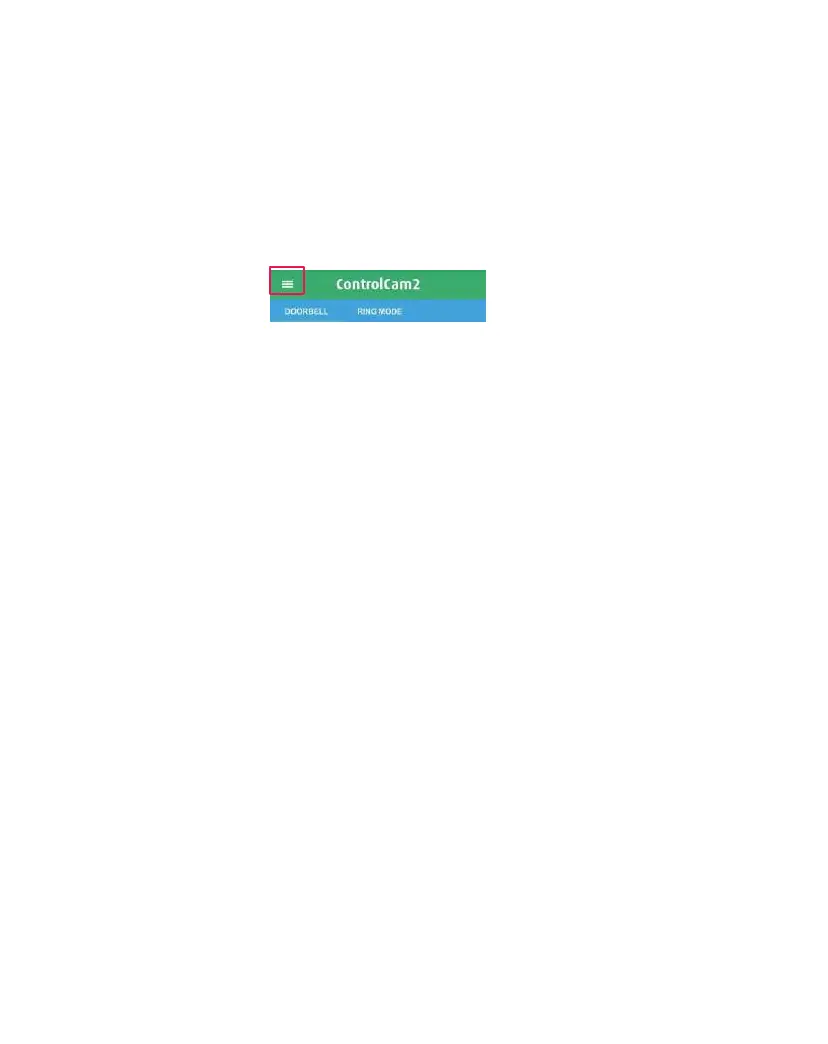
Access the user account’s settings by clicking on the main menu
icon from the ‘Doorbell’ or ‘Ring Mode’ screen’, then click on your
profile image or your username, accessing the ‘Account’ screen.
4.5.1 Change User Account Password
1. From the app ‘Account' screen, click on ‘Change Password’.
2. Enter your ‘password’ (current), then insert the ‘New Password’
and then ‘Confirm Password’.
3. Click on the ‘Done’ button.
4. You will be redirected to the login screen and will need to insert
your username and the new password.
4.5.2 Change Verification Question and Answer
1. From the app ‘Account' screen, click on ‘Reset Verification’.
2. Enter your ‘password’ (current), then insert your new 'custom
question’ and your new 'custom answer’.
3. Click on ‘Save’.
4.5.3 Logging Out of the App
1. From the app ‘Main Menu’ or ‘Account’ screen, click on ‘Logout’.
2. You will be redirected to the login screen and will need to insert
the correct username and password to reconnect.


 To Next Page