Wiring
Wire Connectors: As there is limited room within the IP Doorbell casing for wires, it
is suggested to use gel-filled “B” Connector wire splices (blue-beans). Not only are
these connectors thin, the dielectric gel inside them prevents your connections
from experiencing corrosion issues, and they can be crimped with standard pliers!
Poor Man’s POE: If the length of a hardwired cable run is not excessively long, you
could also use the 'poor man's POE' by removing (or cutting) the unused blue and
brown wire pairs (assuming the Cat5e cable is terminated T568B) at each end of the
Cat5E cable and use them as an extension to leads for the power supply included
with the IP Doorbell (double up the wires for each polarity of the power supply,
then the current is low enough not to cause too much voltage drop). Be sure to
observe the correct polarity for the power if you are extending the power supply
lead. This also makes for less clutter at the IP Doorbell end of the installation.
Keypad
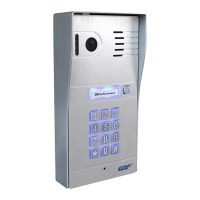
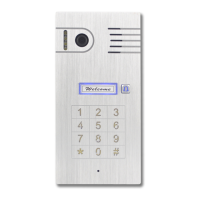
The keypad on the PL960QPM uses touch-sensitive buttons (replaced with blue-
light buttons on PL960TPM). This method allows for use with or without gloves and
in all weather conditions. However, the buttons are highly sensitive to touch and
may actually trigger the adjacent button if pressed too hard. During programming
and use, be sure to touch the keypad buttons just light enough to hear the
confirmation beep for consistent results.
weatherproof environment.


 To Next Page