EasyManua.ls Logo

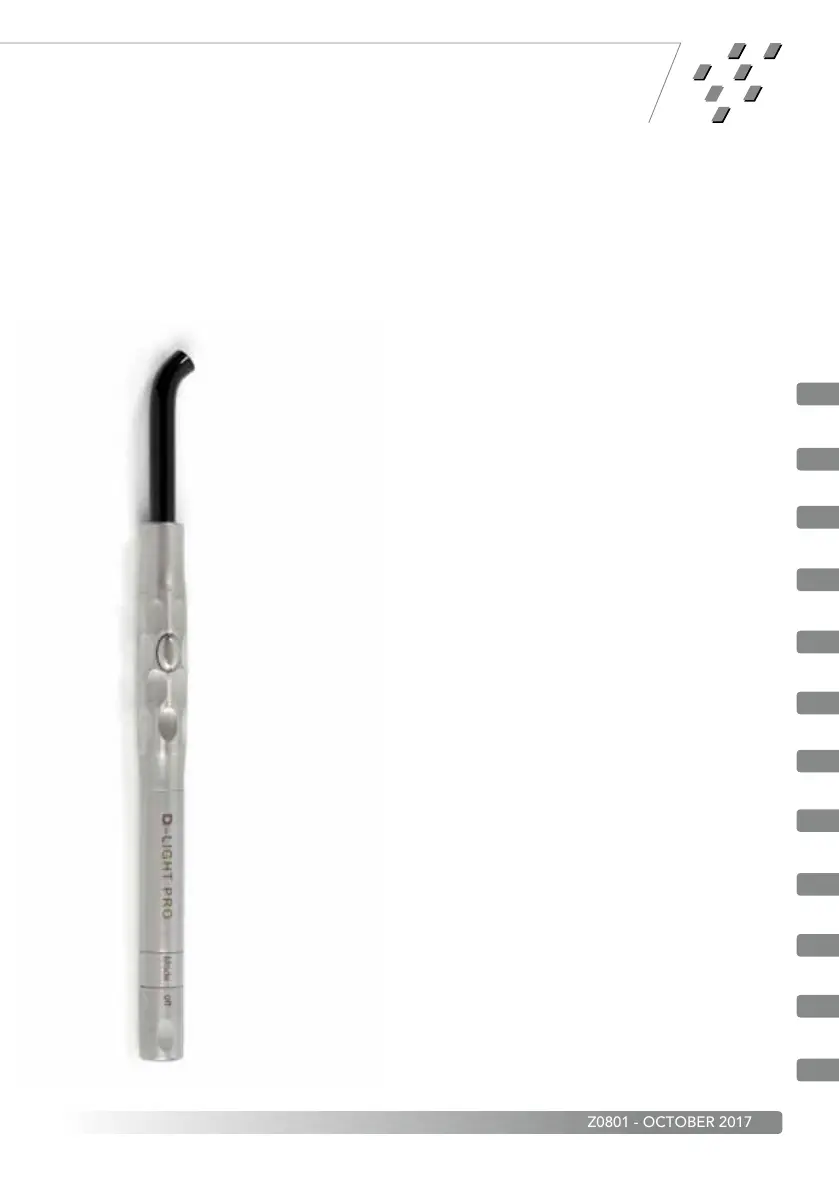
gc D-Light Pro - User Manual

gc D-Light Pro
128 pages
Print Icon
To Next Page IconTo Next Page
Loading...
Instructions for use
Gebrauchsanweisung
Mode d’emploi
Istruzioni per l’uso
Instrucciones de uso
Gebruiksaanwijzing
Vejledning
Bruksanvisning
Bruksanvisningen
Instruções de Utilização
Käyttöohje
Οδηγίες Χρήσης
EN
DE
FR
IT
ES
NL
DA
SV
NO
PT
FI
EL
D-Light
®
Pro
Z0801 - OCTOBER 2017

Questions and Answers

  • Z
    Zoe AlvaradoAug 11, 2025
    What to do if gc D-Light Pro is working but the material won't cure?
    • D
      David ChavezAug 12, 2025
      If your GC Dental equipment seems to be working fine, but the material isn't curing, it could be due to a couple of reasons. First, check the material's expiration date and use fresh material if it's expired. Secondly, the light guide may be damaged. In this case, you should clean or replace the light guide.
  • M
    Melanie HardyAug 19, 2025
    Why is my GC Dental equipment battery not charging?
    • M
      Michael MoralesSep 12, 2025
      If the battery of your GC Dental equipment isn't charging, there are a few things to check. First, make sure the charging station is correctly connected to both the power supply and the mains. Next, ensure the battery is firmly set in the charging station, removing any dust from the docking ports if necessary. Finally, the battery may already be fully charged, so insert it into the handpiece and activate to confirm its charge status.
  • P
    pricematthewAug 27, 2025
    How to fix the light not coming on when pressing start on GC Dental equipment?
    • L
      Linda MartinAug 27, 2025
      If the light on your GC Dental equipment doesn't turn on when you press the start button, consider the following: * Check if the battery is discharged and needs charging. * Ensure the battery is correctly set in the handpiece/electronic module assembly, referring to the unit activation section if needed. * Verify the electronic module is properly inserted into the handpiece by removing and re-inserting it. * If you've been using the device continuously for an extended period, it might be cooling down; wait at least 3 minutes before trying again.
  • G
    Gary TuckerSep 2, 2025
    What to do if the light guide or electronic module is difficult to insert in GC Dental equipment?
    • L
      Loretta MurphySep 2, 2025
      If you're having trouble inserting the light guide or electronic module into your GC Dental equipment, make sure the groove of the light guide or electronic module is clean, undamaged, and free from any obstructions. You may also apply a small amount of lubricant on the groove. If the light guide is damaged, clean or replace it.

gc D-Light Pro Specifications

General IconGeneral
Brandgc
ModelD-Light Pro
CategoryDental equipment
LanguageEnglish

Related product manuals