User’s Manual
22
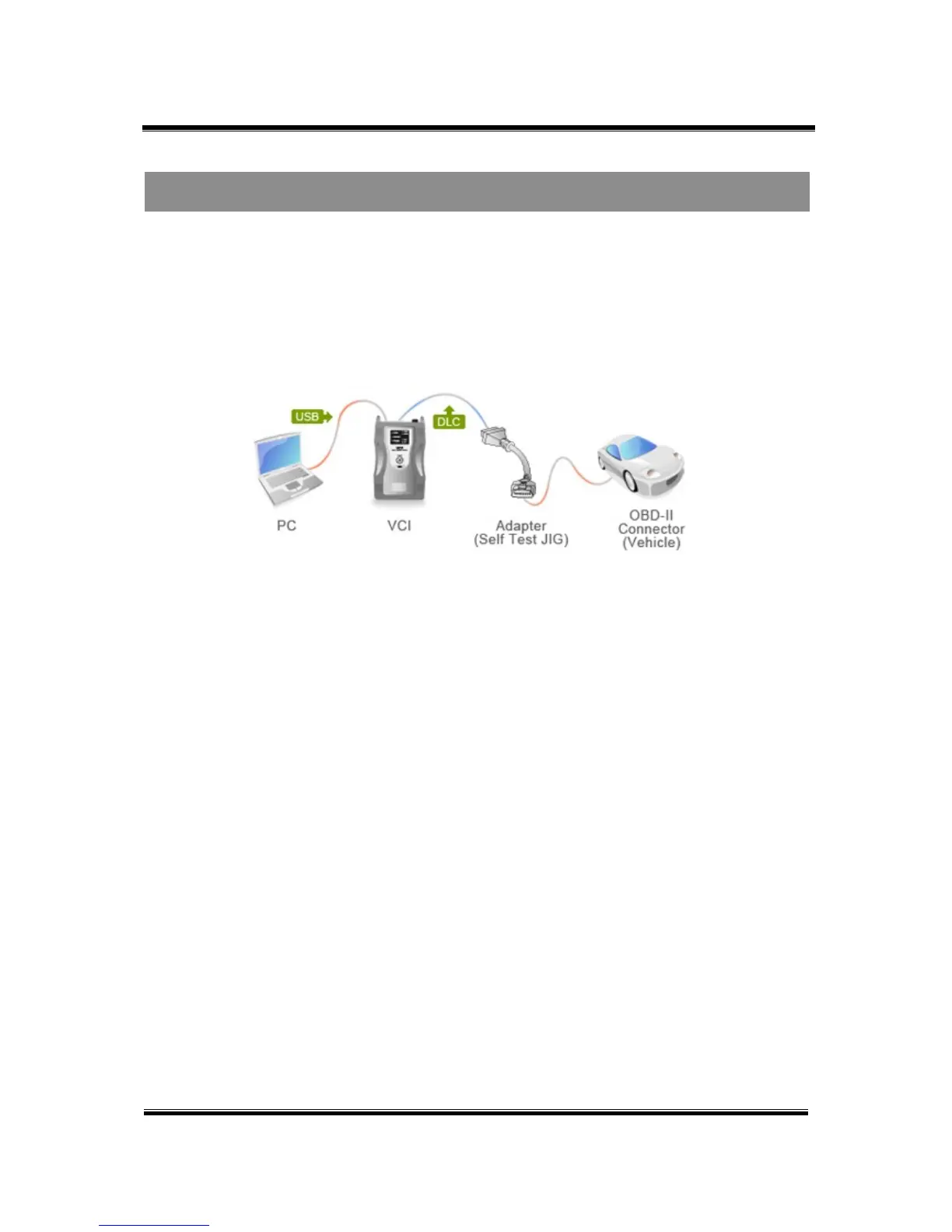
Before performing the self-test function, connect the DLC Main Cable (P/N: GHDM-241000) between
VCI module and Self-test adapter. Then, connect the other side of Self-test Adapter to the OBD-∥
Connector on the vehicle as shown in Figure1.
Figure 1. Installation of the Self-test adapter
Self-test function is performed when the VCI module and terminal are connected by USB cable. When
the VCI module and information terminal are connected by wireless LAN, this self-diagnosis function
cannot be performed.
After installing the adapter, follow the instructions as indicated on the Self-Test screen located on the
Configuration menu.
Connecting the Self-Test Adapter
Module: A-01-006 (p.02)


 To Previous Page