31
AUTOMATIC MODE
RUN TIME
DATE
or
or
or
TIME
EXERCISE CYCLE
GENERATOR ON
(When Generator Running - Auto Mode)
GENERATOR READY or SERVICE CODE DESCRIPTION
(When Generator NOT Running - Auto Mode)
Control Panel Prompts
Automatic Mode
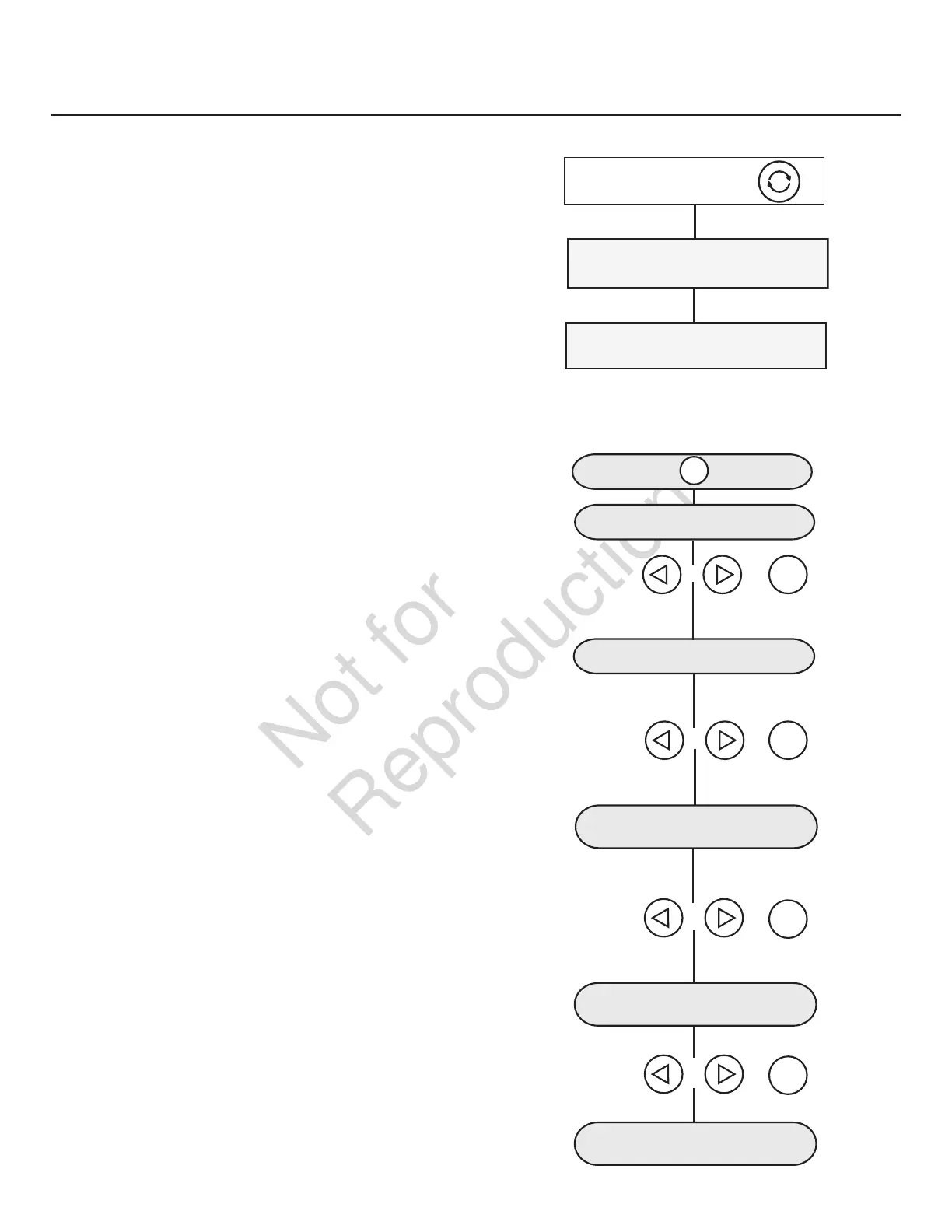
In Automatic Mode, the display screen will display via
scrolling text:
• GENERATOR READY - if the unit is in standby and utility
power is present.
• GENERATOR ON - if the unit is running and utility
power is not present.
• SERVICE CODE - if a system fault has been detected.
RUN TIME
DATE
or
or
or
TIME
EXERCISE CYCLE
SOFTWARE VERSION
GENERATOR ON
(When Generator Running - Auto Mode)
GENERATOR READY or SERVICE CODE DESCRIPTION
(When Generator NOT Running - Auto Mode)
(MENU)
ok
or
ok
or
ok
or
ok
or
or
ok
General System Parameters
To view general system parameters, press the MENU button.
The following will scroll across the digital display and then
move to the next item:
• Run time
• Date
• Time
• Exercise Cycle date and start time
• Software Version
The user can press the LEFT ARROW or RIGHT ARROW at any
time to move to the next item.
The user can press ESCAPE to go back to GENERATOR READY.
If no user inputs are made for 40 seconds after all the items
have been displayed, the control board digital scrolling
display will reset to previous scrolling display.


 To Next Page