GE Contactless Smart Card Reader Model 24x 7
Installation
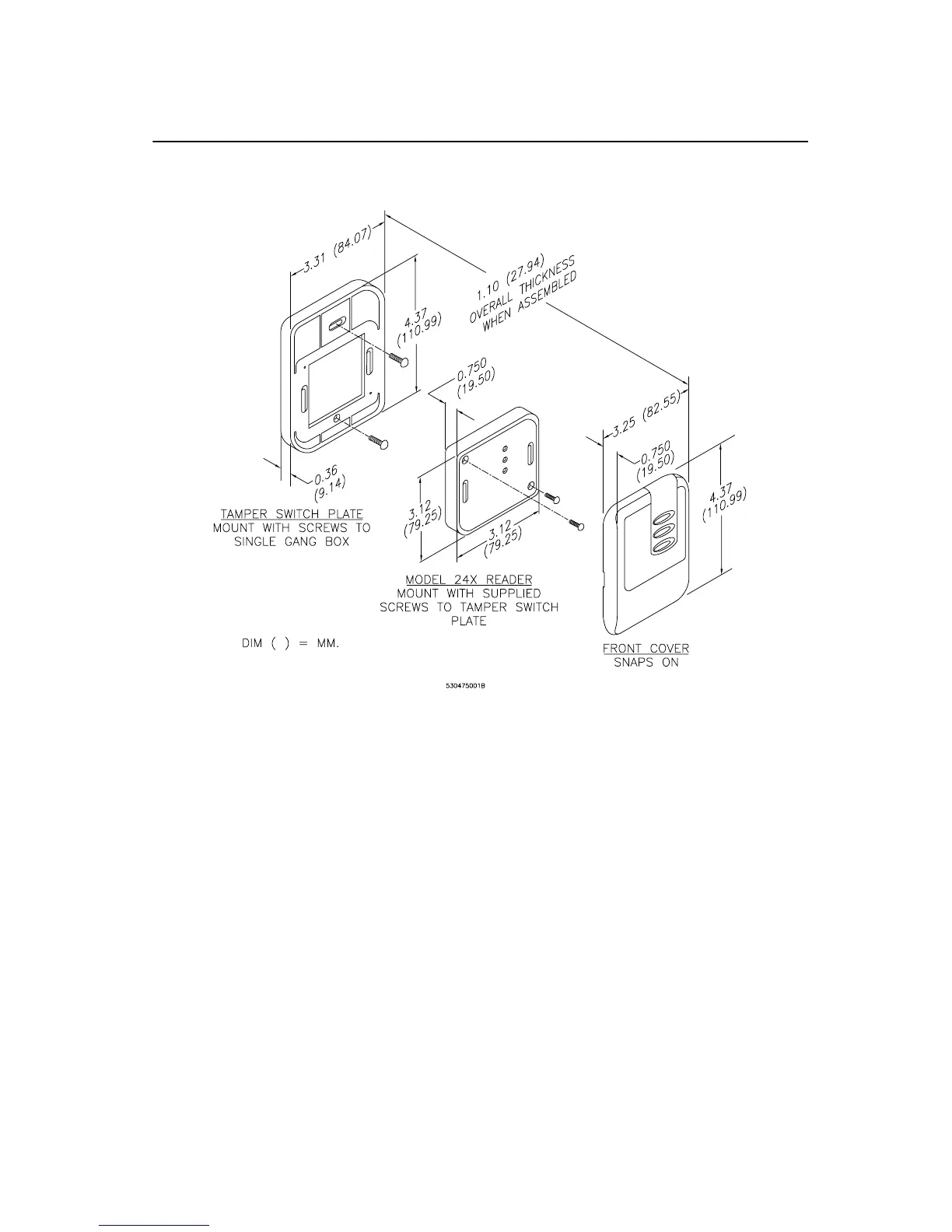
FIGURE 5: GE Model 24x Backplate and Snap-on cover
The front cover snaps into place. To remove the cover, use a small flat-
blade screwdriver to pry the cover from the backplate, using either of the
two provided locations on the vertical sides of the reader.
Installation of the Model 245 is similar to that of the Model 240.


 To Next Page