16
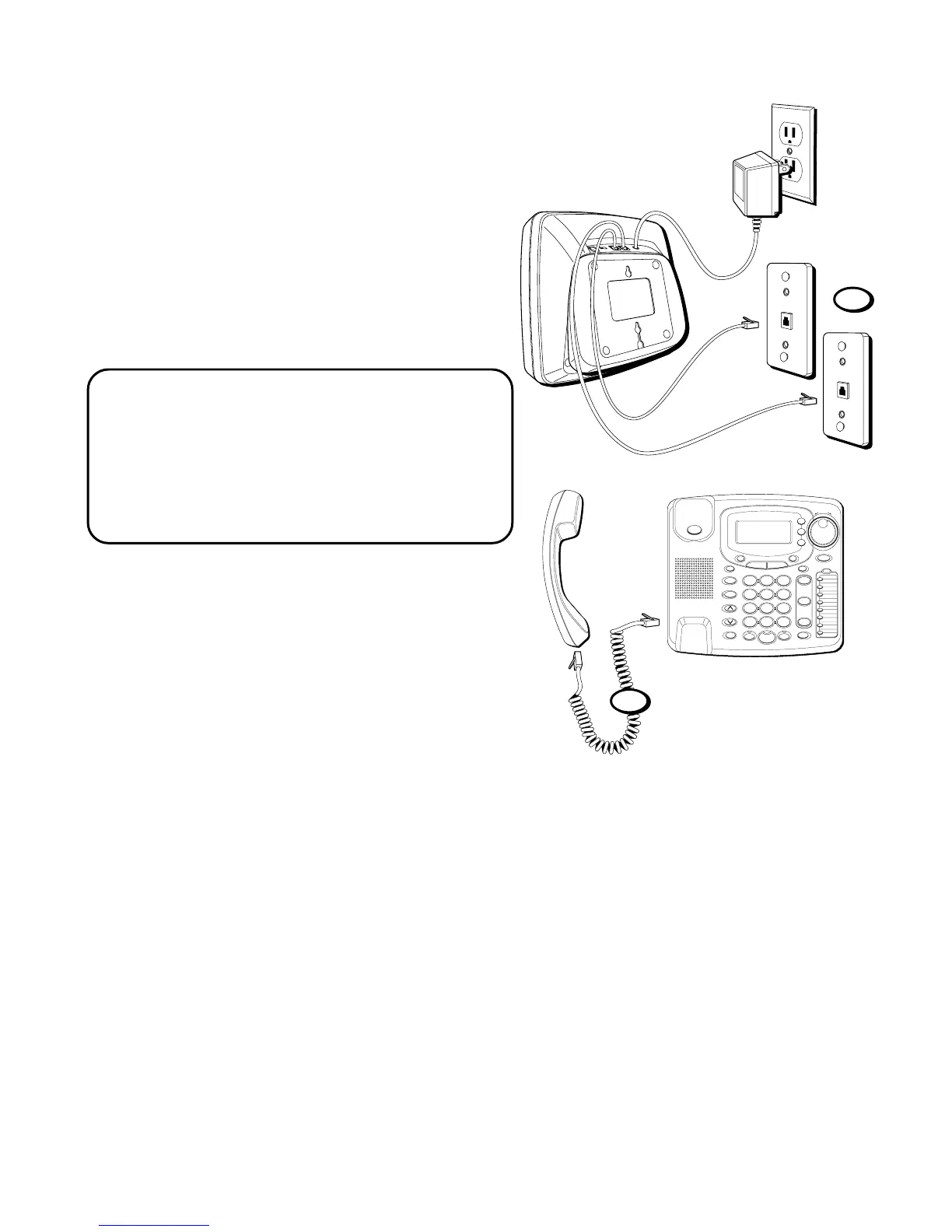
5. Slip the mounting holes over the wall
plate posts and slide the unit down
firmly into place. (Wall plate not
included.)
6. Plug one end of the handset cord into
the handset and the other end into the
jack on the side of the base. Place the
handset in the base.
NOTE : The phone automatically
defaults to touch-tone dialing. To change
to pulse (rotary) dialing, see “Tone/
Pulse Dialing.” If you don’t know which
type of service you have, check with the
phone company.
5
#
OPER
0
TONE
WXYZ
9
TUV
8
PQRS
7
MNO
6
JKL
5
GHI
4
DEF
3
ABC
21
STORE
LOWER
DIAL
CALLER ID
CLEAR
EXIT
SELECT
VOICE MAIL
CONFER
LINE
2
LINE
1
HOLD
MUTEHEADSETFLASH
VOLUME
BUSY REDIAL
REDIAL
PAUSE
MENU DIRECTORY
8
7
6
5
4
3
2
1
S
H
U
T
T
L
E
SPEAKER
*
6



 To Next Page