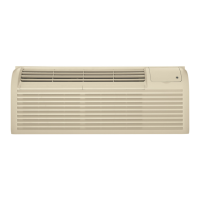
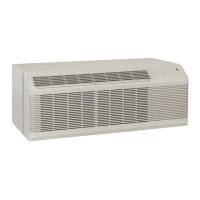
Auxiliary controlson your Zoneline.
Auxiliary Controls--Aux Set Button
Theauxiliary set controls are located behind
the room cabinet, below the control panel.
Removethe room cabinet. Seethe ToRemove
the Room Cabinetsection.
Theowner isresponsiblefor ensuringthe auxiliary
controls are set to the desired function. Thereare 9
different modes that can be set usingthe auxiliary
set button. To change modes, pressAUXSET("AU"
appears on the display).Pressthe mode button on
the control pad until the first digit in the display
shows the number corresponding to the mode you
are choosing and the correct HEAT/COOLLEDislit.
Pressthe up or down arrow (shown in the second
digit ofthe display)to make the mode setting
selectionwhere applicable. Pressthe At.IXSET
button to confirm the selection.
R First Digit
B Load
Shedding
_ constantFan
temperature
Limit _ _Ac_
Class 2Mode
_"_ Duet Mode
AH i2R Mode(AZ61 OnHy)
Boost Heat
(AZ61 Ortly)
GEAppliances.com
AuxiliarySet Button
AccessCover
U Second Digit
Press A / V
_,_ = Cycle// j_j -Continue
Lq-off // _'_ -On
COOL HEAT
O; 80F=85F o: 60F-65F
1: 64F=85F 1: 6OF-7OF
2: 66F=85F 2: 60FW2F
3: 68F=85F 3: 60F-74F
\\\\ 4: 70F=85F 4: 60F-76F
5: 72F-85F 5: 60F-78F
6: 74F-85F 6: 60F-80F
, 7: 76F=85F 7: 60F-85F
/
//'U -o_ P_-on
/
MODE i
I Smart Fan--Cooling/Heating
Thedefault setting for Mode 1 is as follows:
Cooling:Continuous(ON)
Heating:Cycle(OFF)
PressMODEuntil a i appears in the first digit of the
display for Smart Fan coolmode. The COOLLED
light on the main control will be on.Tochange to
heat mode, pressNODE again.The HEATLEDlight
on the main control will be lit. Pressthe down arrow
to set the indoor fan to cycle on/off when the unit is
heating or cooling "u ."Pressthe up arrow to set
the indoor fan to run continuously" n." Thisis
shown in the second digit ofthe display.PressAUX
SETto confirm your selection and exitAUXSET
mode, or pressNODEto continue setting other
functions.
*Note: In cyclic cooling mode, the indoor fan will activate occasionally to
verify airtemperature in the room. In cyclic heating mode, the fan will
continue to operate for 90seconds after the heating function has stopped in
order to increase unit efficiency.
-- HIGH _ COOL
t --LOW --FAN
_LJ --AUTO --HEAT
Cooling- Cycle*
#h'_ --HIGH _COOL
--LOW --FAN
--AUTO --HEAT
Cooling- Continuous
l -- HIGH -- COOL
lU --LOW --FAN
--AUTO _HEAT
Heating - Cycle*
Ib"_ --HIGH --COOL
--LOW --FAN
--AUTO _HEAT
Heating- Continuous
[ MODE 2 Load Shedding (Central Desk Control)
Thedefault setting for Hode 2 is OFF.
Thisfeature is active only if the unit isconnected to
a CDCand the CDChascontrol. PressNODE until a
2 appears in the first digit of the display for Load
Shedding mode. Pressthe down arrow for OFF"u
"or the up arrow for ONI--I ."Thisis shown in the
second digit of the display.When this mode ison,
onlythe indoor fan can be turned ONor OFFwith
the unit controls.When this mode isoff, all
operation isdisabledexcept Heat/FreezeSentinel
(Mode3).PressAUXSETto confirm your selection
and exitAUXSETmode,or pressNODEto continue
setting other functions.
_7
Eu E
Load Load
Shedding Shedding
OFF ON


 To Next Page