Hardware Installation IST 002 (A) 1728 x 2304 Portrait Monitor Interconnections
Page 35
3-5 Keyboard & Mouse Connections
Connect the mouse and keyboard to the computer housing.
3-6 Monitor Connections
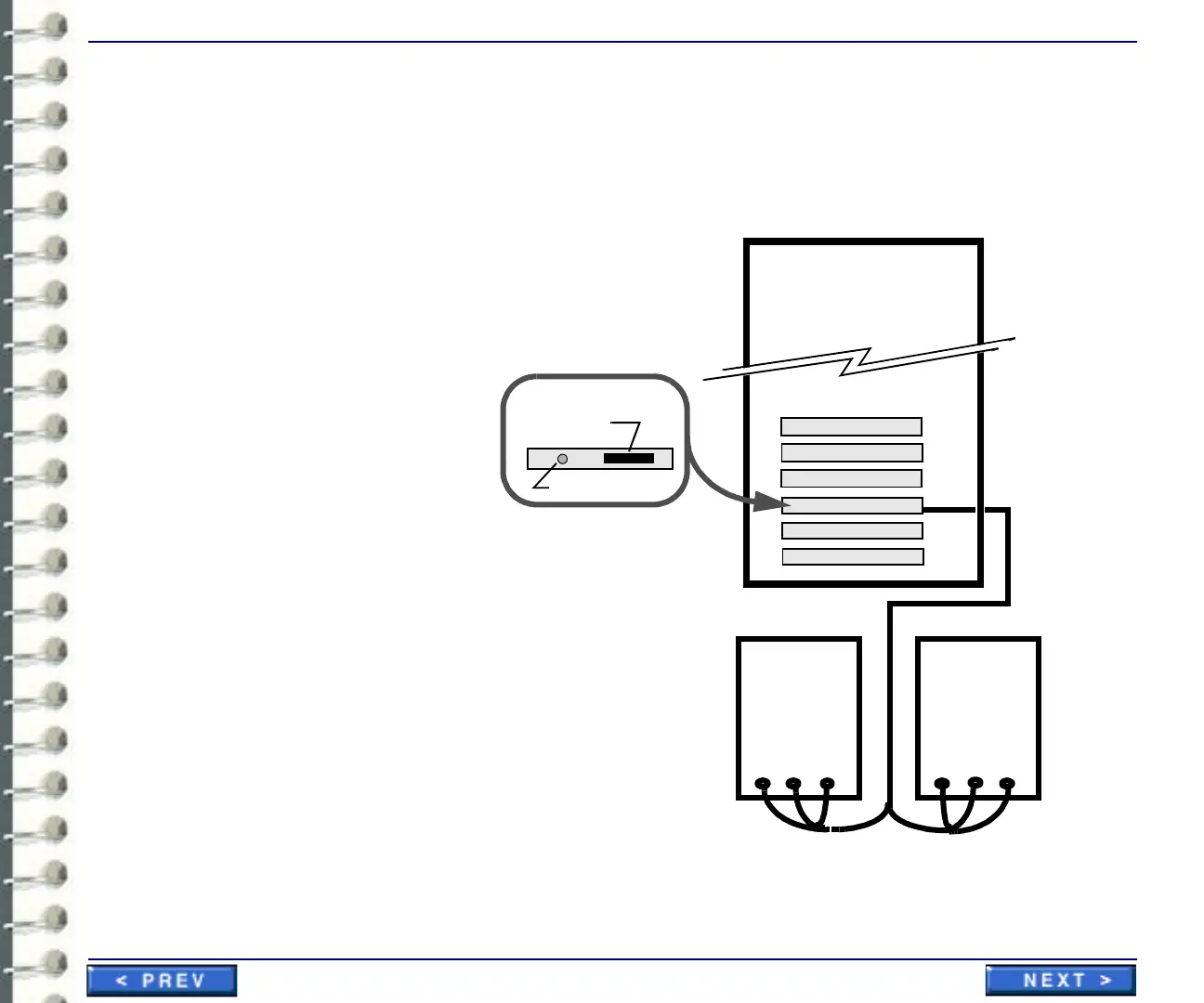
Connect the monitors as shown in appropriate cabling illustration (two or four monitors).
Illustration 3-3: Connecting two barco 1728 by 2304 monitors to workstation
Slot 4
Slot 3
Interface interconnections
to two Barco “A” 1728 x 2304
portrait monitors
Blank
Blank
Blank
Video Card
White Black Green
White Black Green
Barco
Monitor 1
rear view
Barco
Monitor 2
rear view
(primary monitor)
Monitor cable
connector to
video interface
Calibrator connector
Video card connectors
Slot 1
Slot 2
Slot 5
Slot 6
Blank
Blank
cable 2 cable 1



 To Next Page